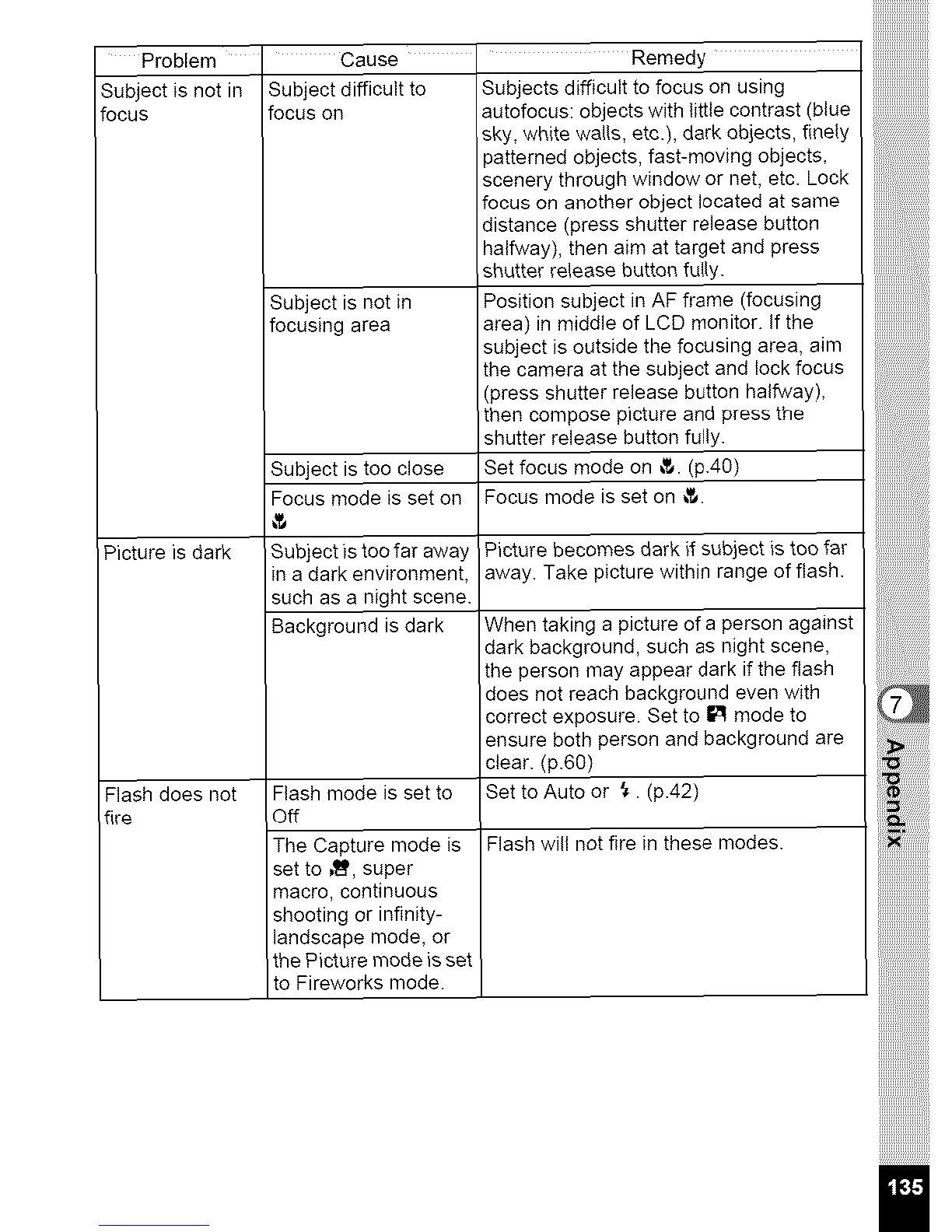
Problem ' Cause ' Remedy
Subject is not in Subject difficult to Subjects difficult to focus on using
focus focus on autofocus: objects with little contrast (blue
Subject is not in
focusing area
Subject is too close
Focus mode is set on
Picture is dark Subject)s too far away
(n a dark environment,
such as a night scene.
Background is dark
Flash does not Flash mode is set to
fire Off
The Capture mode is
set to _I_, super
macro, continuous
shooting or infinity-
landscape mode, or
the Picture mode is set
to Fireworks mode.
sky, white walls, etc.), dark objects, finely
>atterned objects, fast-moving objects,
scenery through window or net, etc. Lock
focus on another object located at same
distance (press shutter release button
halfway), then aim at target and press
shutter release button fully.
Position subject in AF frame (focusing
area) in middle of LCD monitor. If the
subject is outside the focusing area, aim
the camera at the subject and lock focus
(press shutter release button halfway),
then compose picture and press the
shutter release button fully.
Set focus mode on _. (p.40)
Focus mode is set on _.
Picture becomes dark ff subject is tee far
away. Take picture within range of flash.
When taking a picture of a person against
dark background, such as night scene,
the person may appear dark if the flash
does not reach background even with
correct exposure. Set to I_1 mode to
ensure both person and background are
clear. (p.60)
Set to Auto or _. (p.42)
Flash will not fire in these modes.
iiiiiiiiiiiiiiiiiii:::
I



 To Next Page