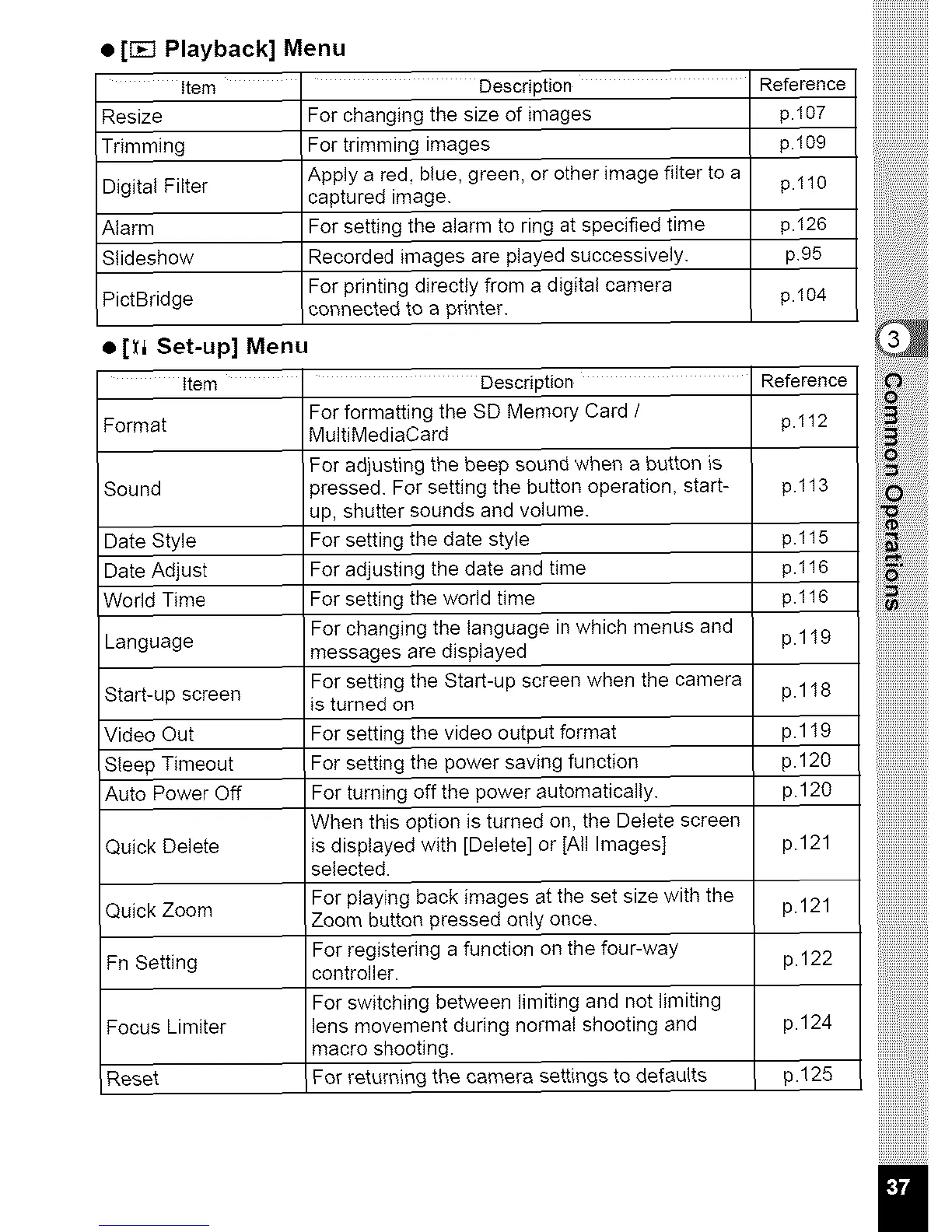
• [r_l Playback] Menu
item ' Description Reference
Resize
Trimming
Digital Filter
Alarm
Stideshow
PictBridge
For changing the size of images p.I07
For trimming images p.109
Apply a red, blue, green, or other image filter to a p.110
captured image.
For setting the alarm to ring at specified time p.126
Recorded images are played successively, p95
For printing directly from a digital camera p.104
connected to a printer.
• [_i Set-up] Menu
item ' Description Reference
For formatting the SD Memory Card / p.t12
Format MultiMediaCard
For adjusting the beep sound when a button is
Sound )ressed. For setting the button operation, start- p.113
up, shutter sounds and volume.
Date Style For setting the date style p.115
Date Adjust For adjusting the date and time p.116
World Time For setting the world time p.116
For changing the language in which menus and p.1 I9
Language messages are displayed
For setting the Start-up screen when the camera p.1 I8
Start-up screen is turned on
Video Out For setting the video output format p.1 I9
Sleep Timeout For setting the power saving function p.120
Auto Power Off For turning off the power automatically, p.120
When this option is turned on, the Delete screen
Quick Delete is displayed with [Delete] or [All Images] p.121
selected.
For playing back images at the set size with the p. 121
Quick Zoom Zoom button pressed only once.
For registering a function on the four-way p.122
Fn Setting controller.
For switching between limiting and not limiting
Focus Limiter lens movement during normal shooting and p.124
macro shooting.
Reset For return{rig the camera settings to defaults p.125
iiiiiiiiiiiiiiiiiiiiiiii
iiii_iiiiiiii
iii!_:!:!:!:!:!:!
i_i!i,_i_!!i!i!i!i!i!i!



 To Next Page