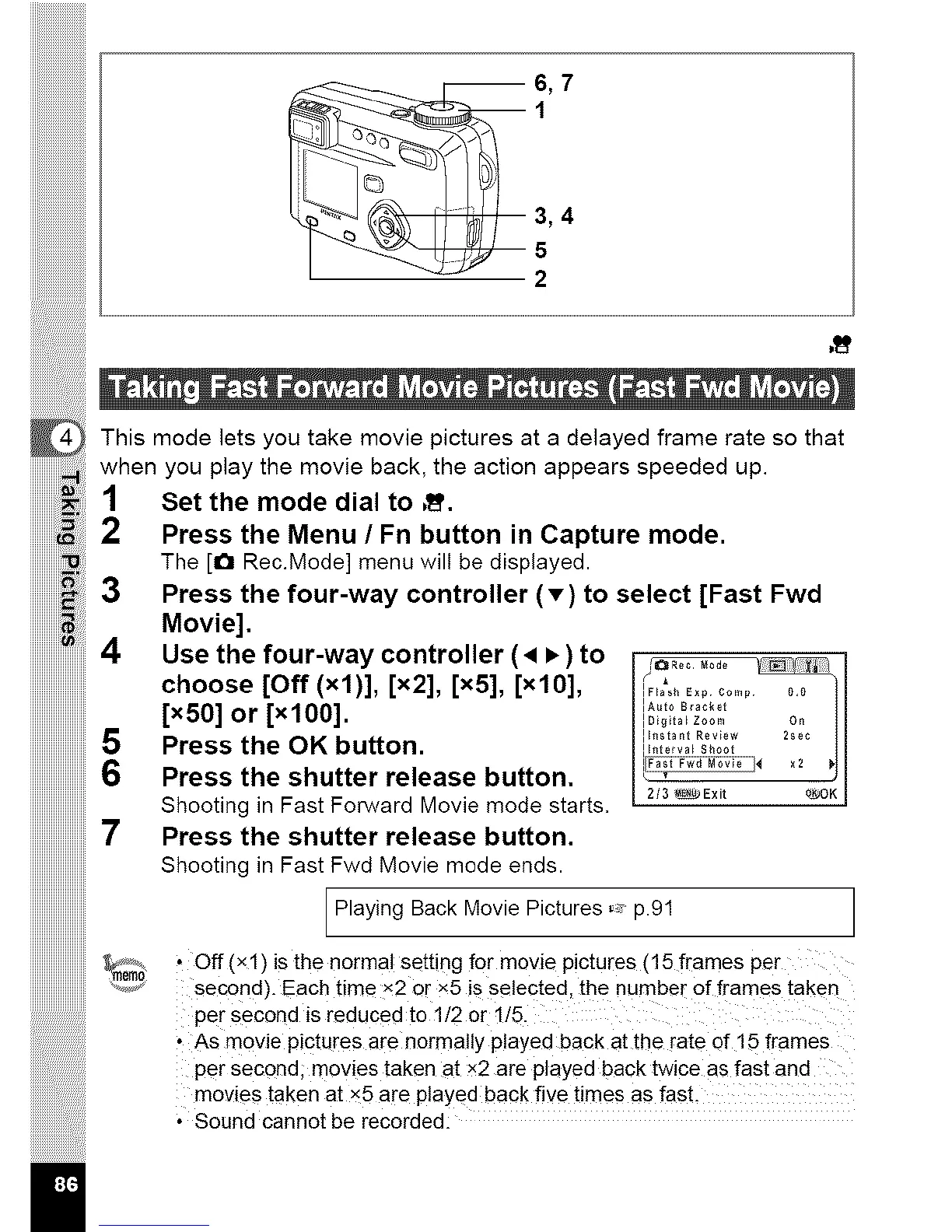
3,4
5
2
i !i!i ! i iiiiiiiiiiiiiiiiiiiiiiiiiiiill
This mode lets you take movie pictures at a delayed frame rate so that
when you play the movie back, the action appears speeded up.
1 Set the mode dial to ,_'.
2 Press the Menu / Fn button in Capture mode.
The [O Rec.Mode] menu will be displayed.
3 Press the four-way controller (v) to select [Fast Fwd
Movie].
4 Use the four-way controller ( • • ) to /,
iiiiiiiiiiiiiiiiiiiiiiii_
choose [Off (xl)], [x2], [x5], [xlO], iF,00_E, 0.... 0.0
[x50] or [xlO0]. =A0_oB_c_e_
IDigita_ zoom on
Ih_tant Review 2sec
5 Press the OK button. ............
12/3 _Exit o_OK I
6 Press the shutter release button. ........................................,
Shooting in Fast Forward Movie mode starts.
7 Press the shutter release button.
Shooting in Fast Fwd Movie mode ends.
.........................[ 1
,ay,ng Movie ,ctores,,
'".,,_,_2m_?'" Off (xl)is the normal setting for movie pictures (15 frames per
......................... second). Each time X2 Or x5 is selected, the number of frames taken
per second is reduced to 1t2 Or !15.
• As movie pictures are normally played back at the rate of 15 frames
pe r Second; movies taken at x2 are played back twice as fast and
movies taken at x5 are played back five times as fast,
• Sound cannot be recorded:
I



 To Next Page