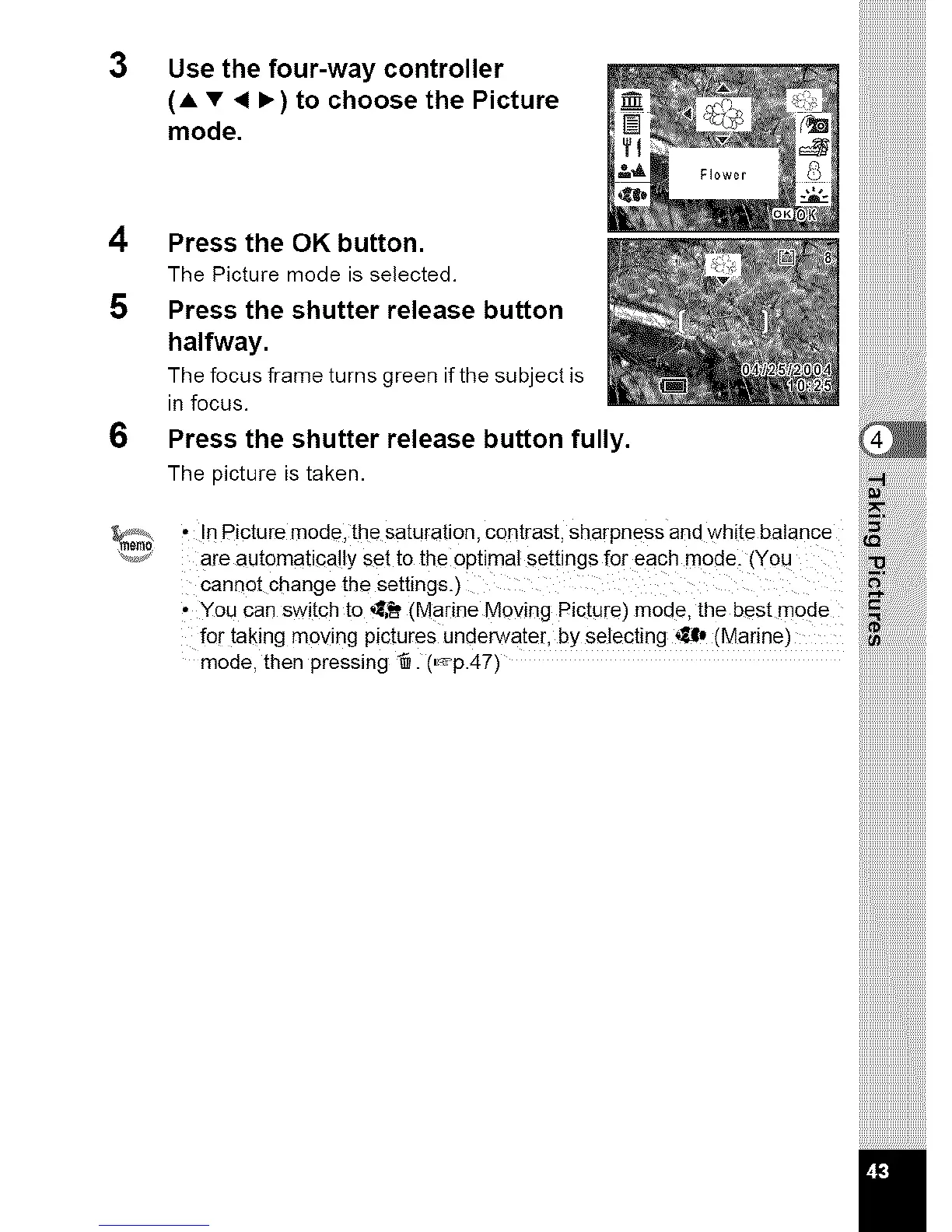
3 Use the four-way controller
(A • 4 I_) to choose the Picture
mode.
FI0wer
S
button. ....
4 Press the OK
The Picture mode is selected.
5 Press the shutter release button
halfway.
The focus frame turns green if the subject is Q
in focus, m
6 Press the shutter release button fully.
The picture is taken.
• !n Picture mode, the Saturation, contrast, Sharpness and white balance
are automatica!ly Set to the optimal Settings for each mode. (You
Cannot Change the Settings. )
• You Can switch to *1',_ (Marine Moving Picture) mode the best mode
for taking moving pictures underwater, by Selecting ,#Jl_(Marine)
mode, then pressing "_i (L_p.47)


 To Next Page