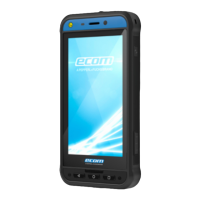
CUSTOM FEATURES
Prog Keys (Programmable Keys)
This option allows you to assign various functions to a specific key.
For example, the button above the power button is assigned to the Camera. It could be modified with this option and assigned to
another function.
PTT (Push to talk):
This key is located below the volume button. It works as a one-way radio communicator with the base station.
■
Hold the button while speaking; release it to receive a reply.
■
Short press or Long press of the key can be assigned to different functions.
Alert Key
There are two options to activate an Alert.
■
All Key Press: This can be assigned to eSentinel which in turn send out an alert message.
■
Long Press: A long press key can be assigned to send an alert.
Multifunction
Multiple functions can be assigned via the Short press/Long press option.
SECURITY SETTINGS
There are three ways to ensure that your phone is secure and cannot be misused by any other person.
Go to Settings->Security->Device Security. You can lock your phone with a Fingerprint, PIN, or a Pattern. Follow the wizard to
create your own unique lock.
The sensor to capture your fingerprint is present on the Power button.
FREQUENTLY ASKED QUESTIONS
What is Pocket mode?
Pocket mode allows you to avoid accidental screen touches or any operation when the phone is in your pocket. If activated, all
screen touches are disabled, so the phone won’t try to unlock itself or dial a number or call any number from your Contacts.
How can I activate Wi-Fi Calling (VoWiFi)?
When Wi-Fi Calling is activated, you can dial or receive a phone call if you have a Wi-Fi connection in an area with little or no cellu-
lar coverage. Please ensure that this service is provided by your service provider.
To activate Wi-Fi calling (VoWiFi), tap Phone -> Settings -> Calling accounts -> Operator name -> Wi-Fi calling.
21


 To Next Page