BG80025
V. 01 – 06/06/2018 3 ©Velleman nv
5. Setting/Changing the Personal Code
1. Align all three combination wheels so they are reading “000”.
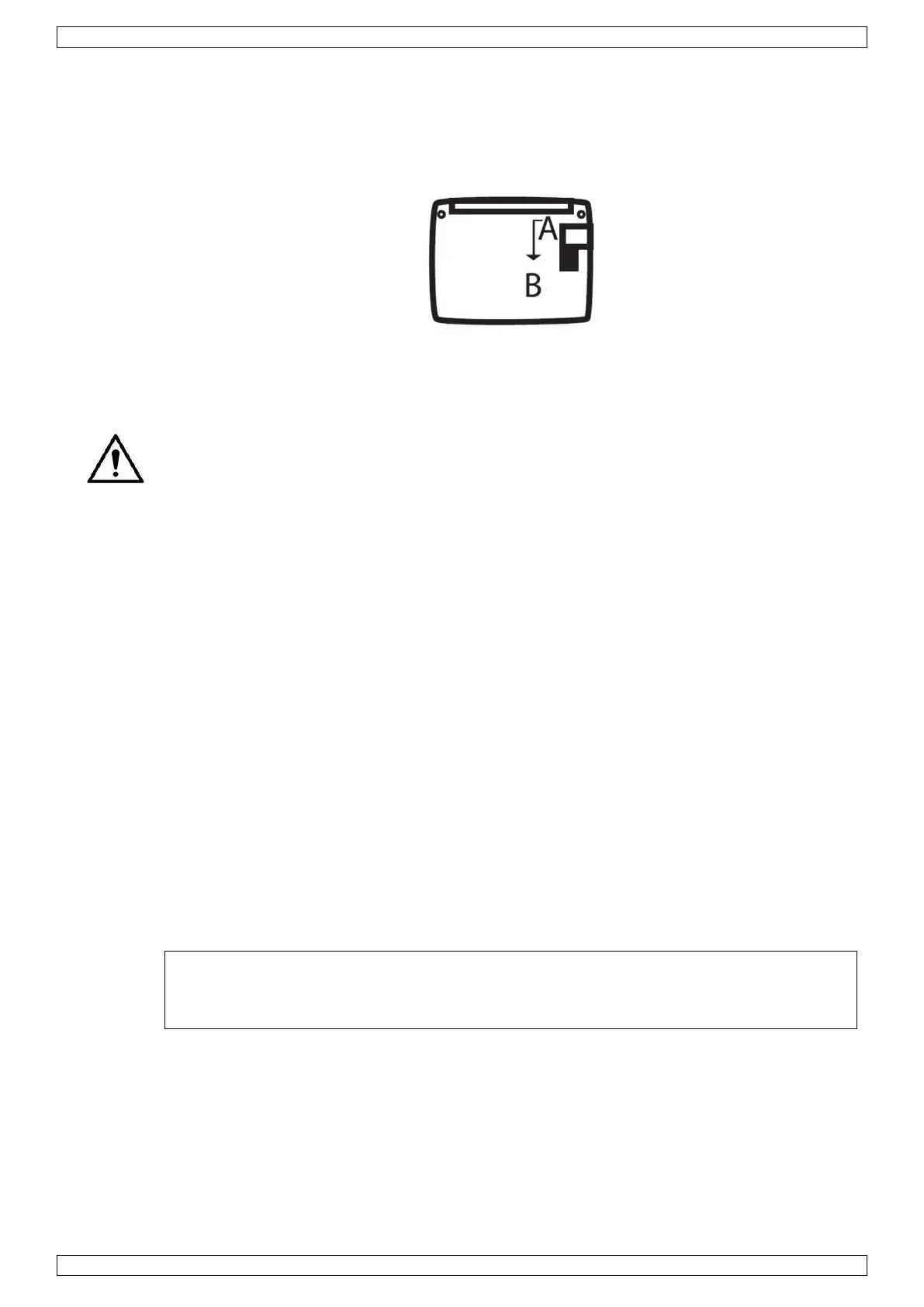
2. Move the small lever located behind the lock to position B.
3. Turn the combination wheels to your personal code and move the small lever to position A.
4. Your personal code is now set.
Keep a note of the code in a safe and secure place. You can change the code as often as you
like by following steps 2 to 4.
6. Cleaning and Maintenance
Occasionally wipe with a damp cloth to keep it looking new. Do not use harsh chemicals,
cleaning solvents or strong detergents.
7. Technical Specifications
colour...................................................................................................................... black
dimensions ......................................................................................... 300 x 240 x 80 mm
weight .................................................................................................................. 1670 g
Use this device with original accessories only. Velleman nv cannot be held
responsible in the event of damage or injury resulting from (incorrect) use of this
device. For more info concerning this product and the latest version of this manual,
please visit our website www.perel.eu. The information in this manual is subject to
change without prior notice.
The copyright to this manual is owned by Velleman nv. All worldwide rights reserved.
No part of this manual may be copied, reproduced, translated or reduced to any electronic
medium or otherwise without the prior written consent of the copyright holder.



 To Next Page