CCTVSET2
V. 02 – 08/04/2015 16 ©Velleman nv
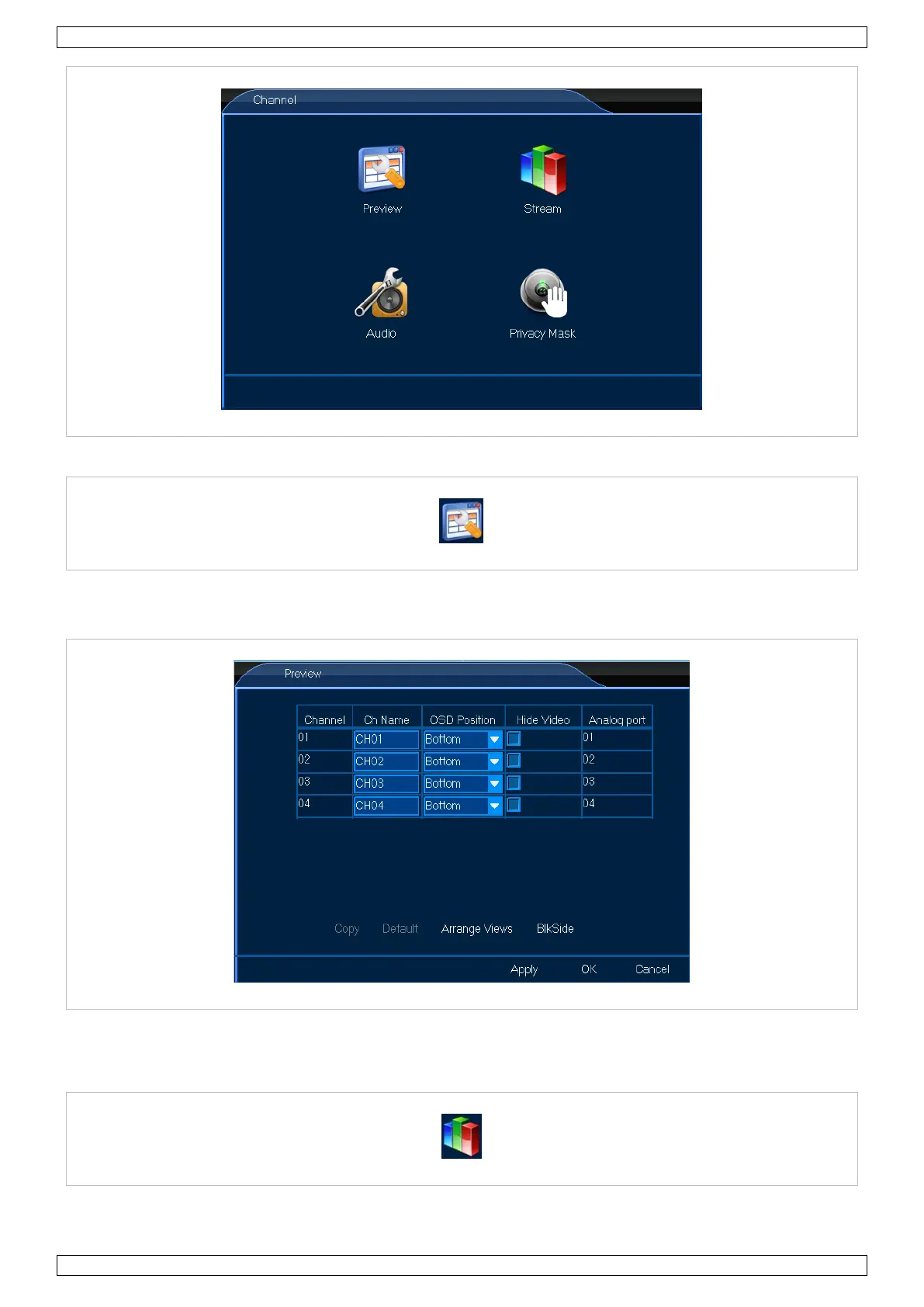
8.2.1 Preview
The Preview menu allows you to adjust all general on-screen settings such as name position. Proceed as follows:
1. Left-click the General icon to enter the menu.
2. Set up as desired.
3. Left-click OK to confirm.
8.2.2 Stream
The Stream menu allows you to adjust the stream settings, either local or over a network. Proceed as follows:


 To Next Page