VTBAL206
V. 03 – 27/05/2021 7 ©Velleman nv
6. Troubleshooting
The scale will not switch on.
• Make sure the batteries are inserted correctly.
• Replace used batteries with fresh ones.
Bluetooth
®
will not connect.
• Make sure your appliance is powered correctly and the batteries are fresh.
• Enable the Bluetooth
®
function on your mobile device. For Android
®
phones, it is
required to activate the location permission due to system configuration.
• Keep the distance between the appliance and your mobile phone within 5 m to
ensure the connection.
• If Bluetooth
®
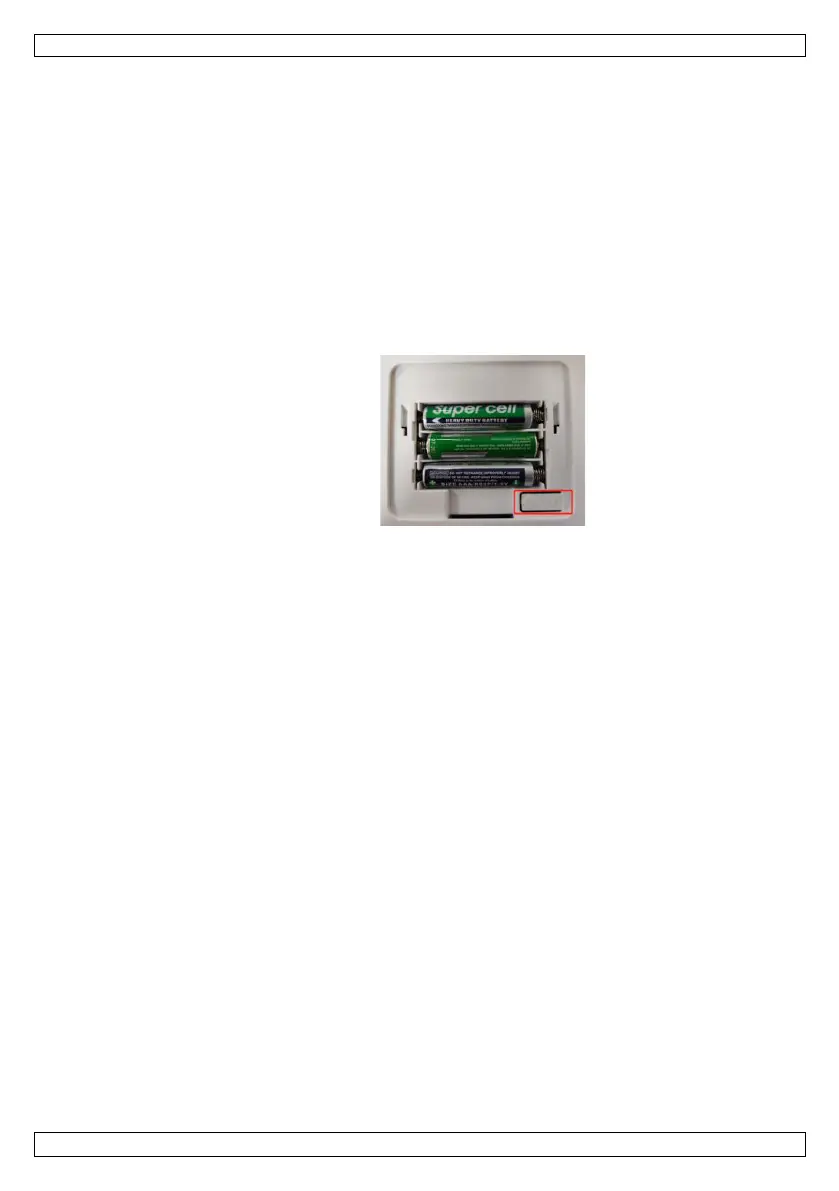
connection fails, press and hold the unit button on the back of the
scale until CRL is displayed.
No body fat data measured when weighing.
• Step on the scale barefoot and make sure both of your feet are dry.
• Wait for the display to freeze and the data transmission.
• The Bluetooth
®
function is not activated or is paired with another scale.
The scale is producing inconsistent weights.
• Make sure to install the scale on a flat and stable surface.
• Check the sensors and clean them with a dry cloth.
The app displays the incorrect fat-muscle ratio.
• Personal parameters are incorrect. Enter the correct gender, age and height.
How to recalibrate the scale after moving it or replacing the batteries?
• Step on the scale to switch it on. Wait for the display to show 0.0 kg/lb./st.
How to change the weighing unit?
• Press the unit button on the back of the scale. The app should now display the
selected weighing unit.
7. Care and Maintenance
• Occasionally wipe with a damp cloth to keep it looking new. Do not use harsh
chemicals, cleaning solvents or strong detergents.
• Do not immerse the device in any liquid.


 To Next Page