9
GB
NL
D
F
The Prune stations function will delete the marked DAB stations from
your station list.
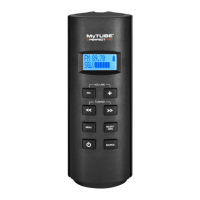
(1) Press the Select button to enter prune station function.
(2) Press the Tuning up / down button to select "YES" to cause the
stations lists to be pruned, eliminating unavailable stations.
If you do not wish to prune stations, select "NO" and the
display will revert to the previous menu.
(G) System Setting
Press the Select button to select from the following settings.
●
Time
Manual setting the clock
(1) Press the Tuning up / down button until "Set Time / Date" is
highlighted. Then press the Select button to enter the setting.
The day digits will ash.
(2) Press the Tuning up / down button until the correct day is
shown on the display. Press the Select button to conrm the
setting. The month digits will then ash.
(3) Press the Tuning up / down button to select the correct
month. Press the Select button. The year digits will then ash.
(4) Press the Tuning up / down button to select the correct year.
Press the Select button. The hour digits will then ash.
(5) Press the Tuning up / down button to select the correct hour.
Press the Select button. The minute digits will then ash.
(6) Press the Tuning up / down button to select the correct
minutes. Then Press the Select button to conrm the setting.
If the radio has been set to use a 12 hour format, there will be
an option here for setting AM or PM for the clock time. Press
the Tuning up / down button to select AM or PM. Press the
Select button to conrm the setting.


 To Next Page