1
1
2 3
2 4
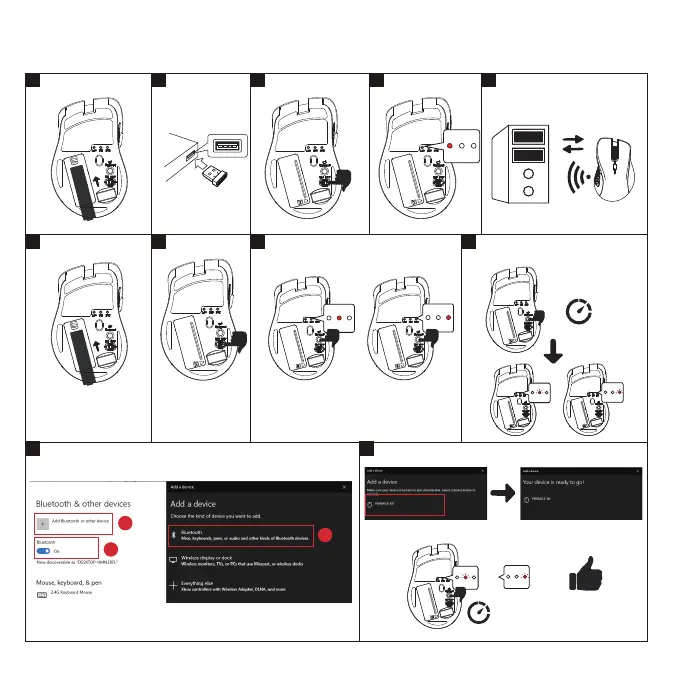
Windows Bluetooth
AA
BT1 – Bluetooth Device 1
BT2 – Bluetooth Device 2
+
-
4 5
3
Please choose one Bluetooth channel
OR
Please press connect buon for 10 seconds.
LED should be blinking while connecng.
OR
5
Sengs -> Devices -> Bluetooth & other devices
6
If there’s no PERIMICE611 on the list, please press connect buon
for 10 seconds.
10 seconds
10 seconds
How do you connect PERMICE-611?
2.4G
ON
Connect
AA
+
-
USB Port
ON
2.4G BT1 BT2
2.4G BT1 BT2
2.4G BT1 BT2
2.4G BT1 BT2
2.4G BT1 BT2
1
2
3
OR
2.4G BT1 BT2
2.4G BT1 BT2





 To Next Page