EasyManua.ls Logo

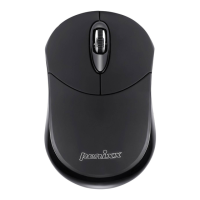
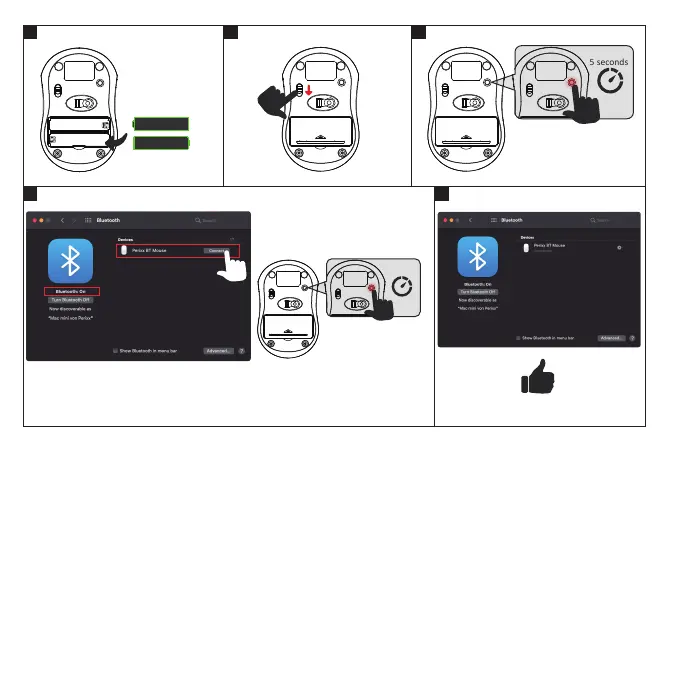
perixx PERIMICE-802 - macOS Bluetooth Connection

perixx PERIMICE-802
15 pages
Print Icon
To Next Page IconTo Next Page
To Previous Page IconTo Previous Page
Loading...
1
4
2 3
5
on
System Preferences -> Bluetooth
AAA
AAA

+
-
+
-
If the Bluetooth pairing fails, please remove Perixx BT Mouse from the list of paired devices and redo it from





Si le jumelage Bluetooth échoue, veuillez supprimer le Perixx BT Mouse de la liste d’appareils jumelés de



接続に失敗した場合は接続済みデバイスリストからPerixx BT Mouseを削除したのち手順1からやり直してください
如果蓝牙配对失败,请从配对设备列表中删除Perixx BT Mouse,然后从步骤1重新执行。
如果藍芽配對失敗,請從已配對的藍芽清單中刪除Perixx BT Mouse並從步驟一開始重新操作,謝謝

If there’s no Perixx BT Mouse on the list,please

macOS Bluetooth
EN
DE
ES
FR
IT
JA
SC
TC

Related product manuals