7–3
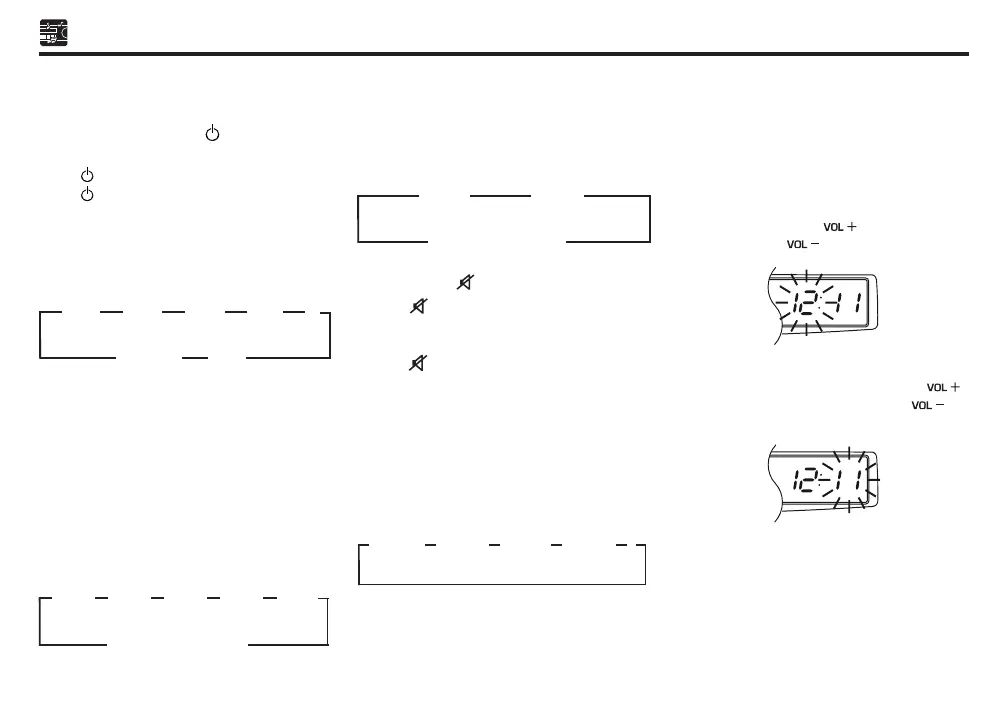
Power / MODE Button ( ) - 1
• System on / off
Press button 1 to switch on the unit.
Press button 1 more than 2 seconds to
switch off the power.
• Mode selecting
Press button 1 to select the mode of ra-
dio, USB and A2DP. The selection is in the
following sequence:
Auto Store / Select Button (AS-SEL) - 2
• Audio mode selecting
During system is on, press AS-SEL button
2 to change the audio mode through bass,
mid, treble, balance and fader function. When
mode has not been adjusted, display returns
to normal radio.
During non EQ mode (“MANU”), press AS-SEL
button 2 to select audio mode in the following
sequence:
During EQ mode (“CLEAR”/“BASS”/“LOUD”),
press AS-SEL button 2 to select audio mode
in the following sequence:
Mute Button ( ) - 3
Press ( ) button 3 to mute the audio
sound. Press again to restore the previous
volume level.
Press ( ) button 3 more than 2 seconds,
and system will pause the USB memory
playing.
EQ / CLK Button (EQ) - 4
• EQ selecting
Press EQ / CLK button 4 to select “clear”,
“bass”, “loud” (Prefix 3 pattern of tone) and
“manual” (Non-prefix tone).
• Selecting the time
Press EQ / CLK button 4 more than 2 seconds
to enter the hour adjustment mode with hour
display blinked.
Adjust the desired hour by pressing VOLUME
button 5. Press the [ ] to increase the
hour. Press the [ ] to decrease the hour.
Press EQ / CLK button 4 again to enter the
minute adjustment mode. Press the [ ]
to increase the minute. Press the [ ] to
decrease the minute.
►
A2DP USB
(CYCLIC OPERATION)
►
FM1 FM2
►
FM3
►
►
AM
►
►
►
“PREVIOUS MODE”
(AM/FM/USB/A2DP)
►
BASS MID
►
TRE
►
BAL FAD
►
►
►
“PREVIOUS MODE”
(AM/FM/USB/A2DP)
►
BAL FAD
►
►
►
EQ-CLEAR EQ-BASS
►
EQ-LOUD
►
EQ-MANU
►
Sect 07 EN.indd 3 09/07/2018 11:53 AM


 To Next Page
 Loading...