BUTTONS AND DISPLAY OVERVIEW
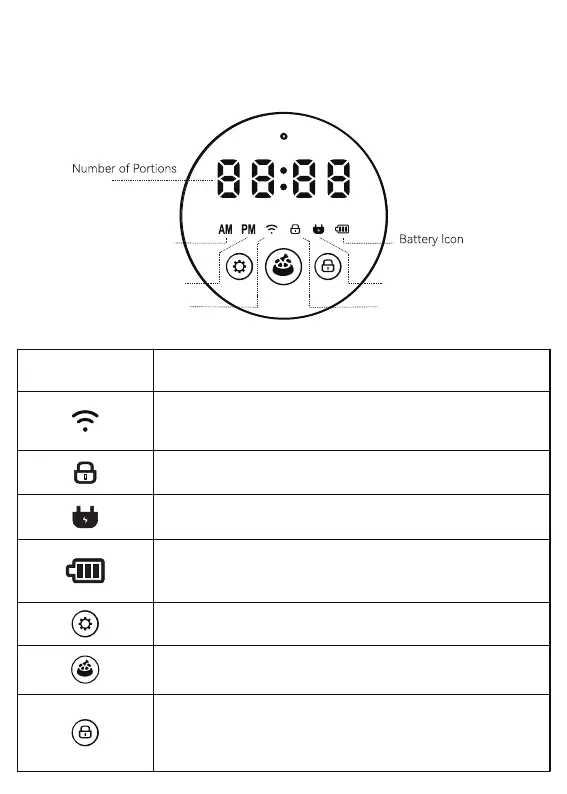
Display
Icon Meaning
Light On: Buttons Locked
Light O: Buttons Unlocked
Blue Light Flash: Pairing Mode;
Blue Light On: Network Connected
Red Light On: Network Error
Light On: Plugged In
Light O: Unplugged
Light On: Batteries Installed
Red Light Flashing: Low Batte
Light O: No batteries
Press and hold the setting button
for 10s to reset the feeder into pairing mode.
Double-click the feeding button to manually
feed one seing, wait about 3s to the next feeding.
Press and hold the lock button for 3s to lock or
unlock the device.
The feeder will automatically lock if it is not
operated for 2 min;
Before Noon
Time or
After Noon
Wi-Fi lcon Lock lcon
Power lcon


 To Next Page