Note:
If the pairing fails, press and hold the setting button for 10s to restore the
facto settings, and then ret pairing steps.
The feeder will enter the no network state when in pairing mode for more
than 3 minutes, press and hold the setting button for 10s to restore the
facto settings.
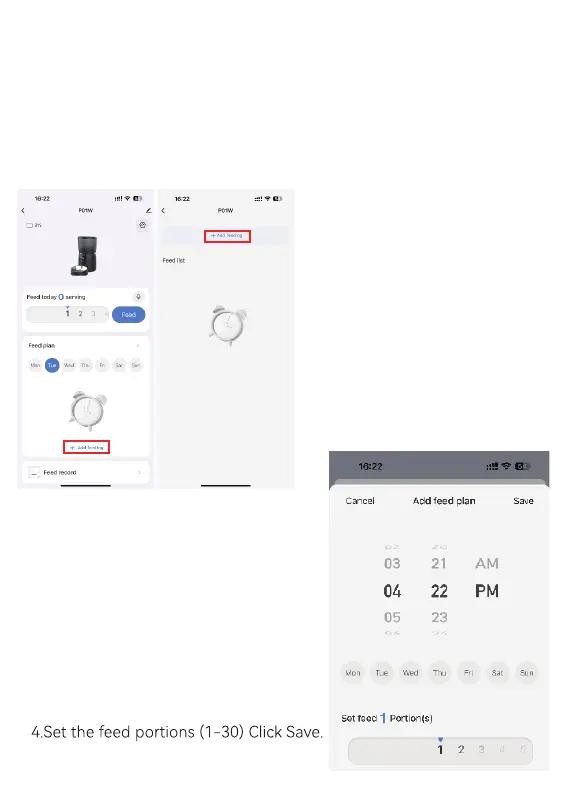
Step 3: Set the Feeding Plan
1.Click Add feeding.
2.Set of time
3.Select the day


 To Next Page