Need help?
Do you have a question about the Petwant F9-L and is the answer not in the manual?
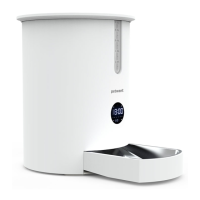
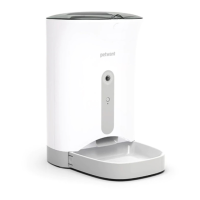
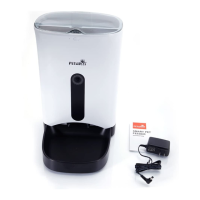
The Smart Pet Feeder is an automatic feeding device designed for cats and small-sized dogs, offering convenience and control over your pet's meal schedule. This feeder ensures your pet receives consistent portions at designated times, even when you're away.
The primary function of the Smart Pet Feeder is to automatically dispense dry pet food according to a pre-set schedule. It features a large food hopper for storing a substantial quantity of food, reducing the frequency of refills. The feeding mechanism, including an impeller and feeding slice, ensures smooth and consistent food delivery to the food bowl.
The feeder is equipped with a user-friendly setting panel that allows you to program feeding times and portion sizes. You can set up to 10 meals per day, with adjustable portions for each meal. The device also includes a manual feeding option, allowing you to dispense a single portion instantly with a simple button press.
A key feature is the voice recording function, which enables you to record a personalized message to call your pet to eat. This message will play during scheduled feeding times, providing a familiar sound for your pet. The feeder also includes a desiccant box to help keep the stored food fresh and dry, preventing spoilage.
For power, the feeder offers dual options: a DC 5V1A adapter for continuous power and a backup system using four D-size alkaline batteries. This ensures uninterrupted feeding even during power outages, providing peace of mind. The device also has a low power mode indicator to alert you when the batteries are running low, prompting replacement.
The Smart Pet Feeder is designed for straightforward setup and operation. To begin, you'll need to install the food bowl base and the food bowl itself, which easily aligns with the main unit. The food hopper is then placed on top, and the lid secured. Before filling with food, it's recommended to place the desiccant pack in its designated box to maintain food freshness.
The setting panel is intuitive, featuring "O" for selection/confirmation and "+/-" buttons for adjustment. To unlock the panel for settings, a long press on "O" is required. The screen will light up, indicating it's ready for programming. You can set the current time, then proceed to program each meal. For each meal, you'll specify the feeding time and the portion size. The feeder supports up to 10 distinct feeding plans. If you wish to disable a specific feeding plan, you can set its time to "00:00" or its portion to "P-00".
The voice recording feature is activated by a long press on "O" while the panel is unlocked. A countdown will appear on the screen, indicating the recording duration. Once recorded, you can play back your message to ensure it's clear.
The feeder also incorporates safety features such as a panel lock to prevent accidental changes to settings. In low power mode (when running on batteries), the screen will display a locked status, and any button press will show this status, reminding you to replace the batteries.
For optimal performance, it's important to use dry pet food with a diameter between 5mm and 15mm. The feeder is not suitable for wet food or freeze-dried food outside this size range. It should be placed on a level surface indoors, away from direct sunlight and areas where it could be easily tipped over.
Regular cleaning and maintenance are crucial for the longevity and hygienic operation of the Smart Pet Feeder. The food hopper, feeding slice, and impeller are designed for easy disassembly and cleaning. To clean the food hopper, you first unlock the knob locks and lift the hopper upwards. The impeller and feeding mechanism can then be removed. It's important to note that the main body of the feeder is not dishwasher-safe and should never be immersed in water, as this can damage the internal electronics. Instead, wipe the main body with a dry, soft cloth. All other removable parts should be thoroughly cleaned and dried before reassembly.
The food bowl is dishwasher-safe, making it easy to keep clean. The desiccant pack, which helps maintain food freshness, should be replaced every one to two months. This involves opening the desiccant box cover, replacing the old pack with a new one, and then closing the cover.
For battery-powered operation, it's recommended to replace the D-size alkaline batteries once a year, even if they haven't been fully depleted, as power can diminish over time. When the feeder indicates low battery (E5 LP), prompt replacement is necessary.
The feeder also offers a factory reset option. By pressing "O" and "-" simultaneously for 3 seconds while the panel is unlocked, all settings, including feeding plans and voice recordings, will be cleared. This is useful for troubleshooting or when preparing the feeder for new settings.
Always ensure the food hopper is dry after cleaning and that the impeller is correctly fixed to prevent feeding issues. Regularly check the food for freshness and replace it if your pet hasn't consumed it within the recommended period, referring to the food packing instructions for guidance.
 General
| Brand | Petwant |
|---|---|
| Model | F9-L |
| Category | Pet Care Product |
| Product Type | Automatic Pet Feeder |
| Capacity | 6L |
| Programmable | Yes |
| Portion Control | Yes |
| Color | White |
| Connectivity | Wi-Fi (2.4GHz) |
| Suitable For | Cats |
| Power Supply | Battery Backup |
| Battery Type | 3 x D Batteries (Not Included) |
| Meal Size | Adjustable portion sizes |
| Voice Recording | 10s Voice Recording |
| Material | Plastic |
| App Compatibility | iOS, Android |


 To Next Page