EasyManua.ls Logo

PEUGEOT 308 SW - User Manual

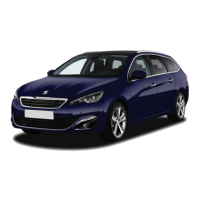
PEUGEOT 308 SW
3 pages
Print Icon
To Next Page IconTo Next Page
Loading...
Fuel: Gasoline E10/EURO95
Type pressure: see sticker on the pillar of the driver’s door
Vehicle instruction manual: in the glove compartment
PEUGEOT 308 SW
Airco/Heating
The controls are on the driver's door:
A Select left or right mirror
B You can then adjust the mirror in all directions.
Please move the switch back to his neutral position after
adjusting.
Adjust side mirrors
Reverse gear
To adjust, use the Airco Menu on the touch screen.
1 desired temperature
2 strength ventilation
3 air distribution control (windscreen, feet, ...)
4 switch on / off air conditioning
5 automatic program
Front window defroster - button below the touch screenRear
window defroster – button below the touch screen
Handbrake
To release the hand
brake pull up slightly
and press the button
at the end.
Then you can lower
the handbrake
lever.
If the hand brake is engaged whilst riding, a
red warning sign lights up on the dashboard.
Release the handbrake immediately!
Pull up the ring on the gear lever and
move up left.
Question and Answer IconNeed help?

Do you have a question about the PEUGEOT 308 SW and is the answer not in the manual?

Overview

This document provides a quick guide for operating a Peugeot 308 SW, focusing on essential functions for a rental car context. It covers various aspects from basic vehicle information to specific controls for driving, comfort, and safety.

General Vehicle Information:

The vehicle is a Peugeot 308 SW. The full instruction manual is located in the glove compartment. It uses Gasoline E10/EURO95 fuel. Tire pressure information can be found on a sticker on the pillar of the driver's door.

Air Conditioning/Heating:

The air conditioning and heating system is adjusted via the Airco Menu on the touch screen. Key controls include:

  • Desired Temperature (1): Sets the target temperature for the cabin.
  • Strength Ventilation (2): Adjusts the fan speed.
  • Air Distribution Control (3): Directs airflow to the windscreen, feet, or other areas.
  • Switch On/Off Air Conditioning (4): Toggles the air conditioning function.
  • Automatic Program (5): Activates an automatic climate control mode. Dedicated buttons are available for front window defroster (below the touch screen) and rear window defroster (below the touch screen).

Reverse Gear:

To engage reverse gear, pull up the ring on the gear lever and move the lever to the upper left position. The gear pattern shown is R-1-3-5 on the top row and 2-4-6 on the bottom row.

Handbrake:

To release the handbrake, pull it up slightly and then press the button located at the end of the lever. After pressing the button, the handbrake lever can be lowered. If the handbrake is engaged while driving, a red warning sign will illuminate on the dashboard, indicating that it should be released immediately.

Adjust Side Mirrors:

Controls for adjusting the side mirrors are located on the driver's door.

  • A (Select Mirror): Use this to select either the left or right mirror for adjustment.
  • B (Adjust Mirror): Once a mirror is selected, this control allows adjustment in all directions. After adjusting, the switch should be returned to its neutral position.

Steering Lock:

To release the steering lock, turn the ignition key and then turn the steering wheel. This applies to both the physical ignition key and the GPS (touchscreen) system, implying a similar unlock procedure for the vehicle's main functions.

Cruise Control:

Cruise control functions are managed using controls on the left side of the steering wheel.

  • 1 (Select Mode): Activates the cruise control mode.
  • 2 (Reduce Speed): Decreases the set speed.
  • 3 (Increase Speed): Increases the set speed.
  • 4 (Activate/Deactivate): Toggles the cruise control on or off.
  • 5 (Pause): Temporarily suspends cruise control. Cruise control settings are displayed on the dashboard. For detailed instructions, refer to the car manual.

Volt Socket:

A 12V power socket is located at the bottom left of the dashboard.

Speed Limiter:

The speed limiter is controlled via the left side of the steering wheel.

  • 1 (Select Mode): Turn the dial upwards to select speed limit mode.
  • 2 (Save Speed): Saves the desired speed limit.

Window Wipers:

Front Wipers:

The lever to the right of the steering wheel controls the front wipers. Push the lever upward to select modes:

  • 0: Off
  • I: Intermittent
  • 1: Normal speed (moderate rain)
  • 2: High speed (heavy rain) Pushing the lever down activates a single wipe. Auto Mode: The wipers turn on automatically when it rains. To switch off automatic wiping mode, push the lever upward and return to setting 0.

Rear Wipers:

Rotate dial (B) forward one click for intermittent rear wiping. Rotate the dial further forward to spray and wipe.

Headlights/Fog Lights:

Headlights:

Rotate the dial at the end of the lever to the left of the steering wheel to select settings:

  • Automatic: Headlights turn on/off automatically based on light conditions.
  • Parking Lights Only: Activates parking lights.
  • Headlights: Turns on main headlights. Pull the lever towards you (when headlights are on) to activate the high beams.

Fog Lights:

  • Front Fog Lights: Rotate the dial one click forward/upward to turn on the front fog lights. A control light will appear on the dashboard.
  • Rear Fog Lights: Rotate the dial two clicks forward to switch on the rear fog lights. A second control light will appear on the dashboard.

Spare Wheel:

The spare wheel is stored under the boot floor. It comes with a jack and wheel wrench. Refer to the instruction manual for detailed instructions on how to use them.

Open the Boot:

To open the boot, pull the handle located at the base of the hatch, below the Peugeot logo.

Park Assist:

This vehicle is equipped with a rear park assist system. When in reverse gear, a buzzer will beep with increasing frequency as the vehicle gets closer to an obstacle.

Fuel Cap:

The fuel cap is located on the driver's side. To open the cover, simply push on it.

SOS Button:

The document advises against using the SOS button or the assistance button on the dashboard unless absolutely necessary. In case of a breakdown or accident, users are instructed to contact "cambio" using the yellow button on the on-board computer.

PEUGEOT 308 SW Specifications

General IconGeneral
BrandPEUGEOT
Model308 SW
CategoryAutomobile
LanguageEnglish

Related product manuals