A: This depends a little. If there are obstacles between headset
and phone, the range may be lower. With a clear line of sight
you should get about 33 feet.
Q: How do I charge the headset? How long does it take?
How do I know when the headset is done charging? Which
cable do I use to charge the headset?
A: Near the "+" and "-" buttons on the right earbud you find
the charge port cover marked with the USB symbol. Open it
with your fingernail, plug in the USB charging cable and check
if the LED turns RED. Now the headset is charging. As soon as
the LED turns BLUE, it is fully charged. This takes a maximum
of 2,5h. Please use the included micro USB charging cable. You
can use any powered USB port to charge the headset.
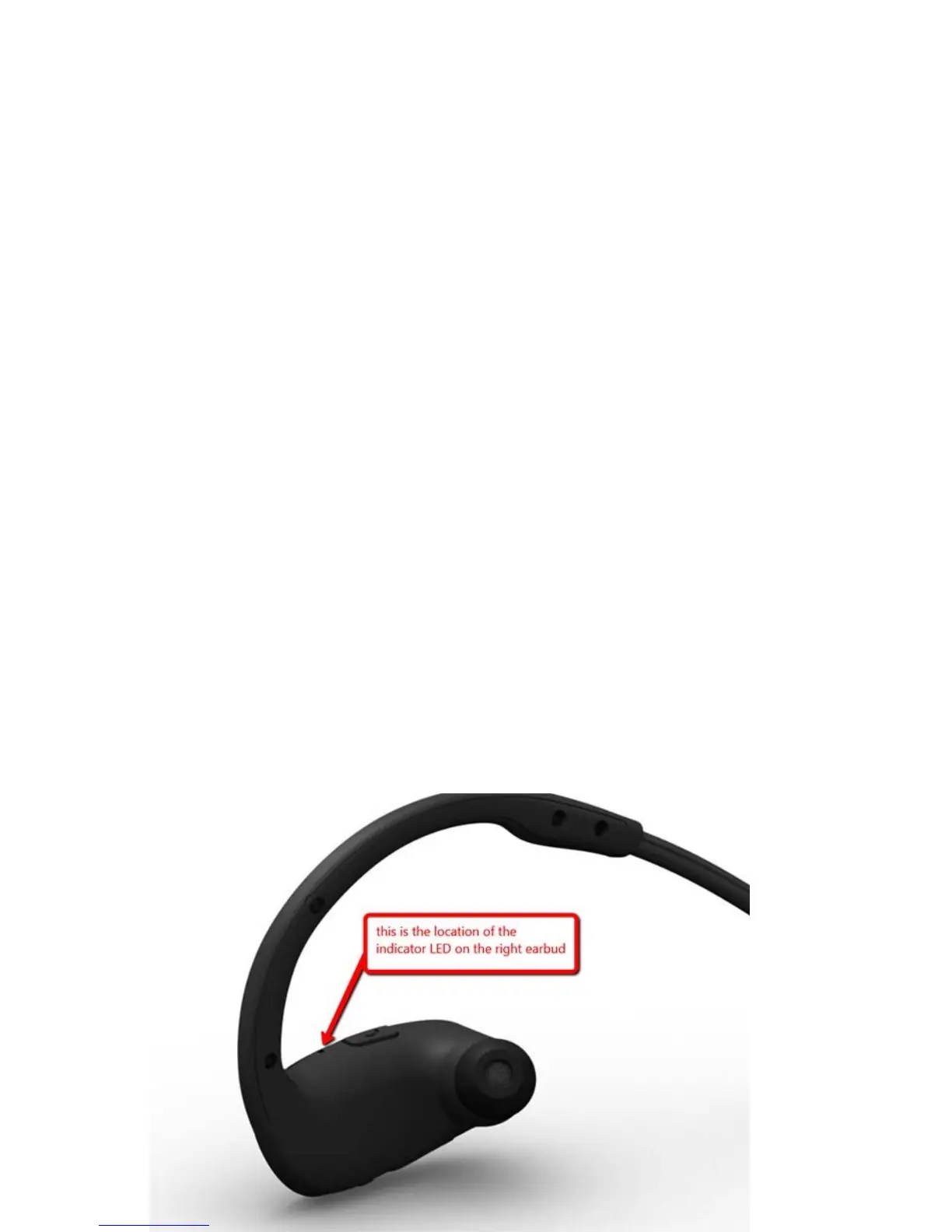
Q: Where is the indicator LED located?
A: The indicator LED is located besides the call button on the
right earphone. Please check the image below.!



 To Next Page