The OSD Controls
Description of the On-Screen Display • The OSD Tree
The OSD Controls : Brightness (HotKey) • Contrast (HotKey) • Language • Input Signal
Selection • Zoom • Adjust Horizontal • Adjust Vertical • Adjust Shape • Adjust Color • Reset
to Factory Settings • Extra Controls • Close Main Controls
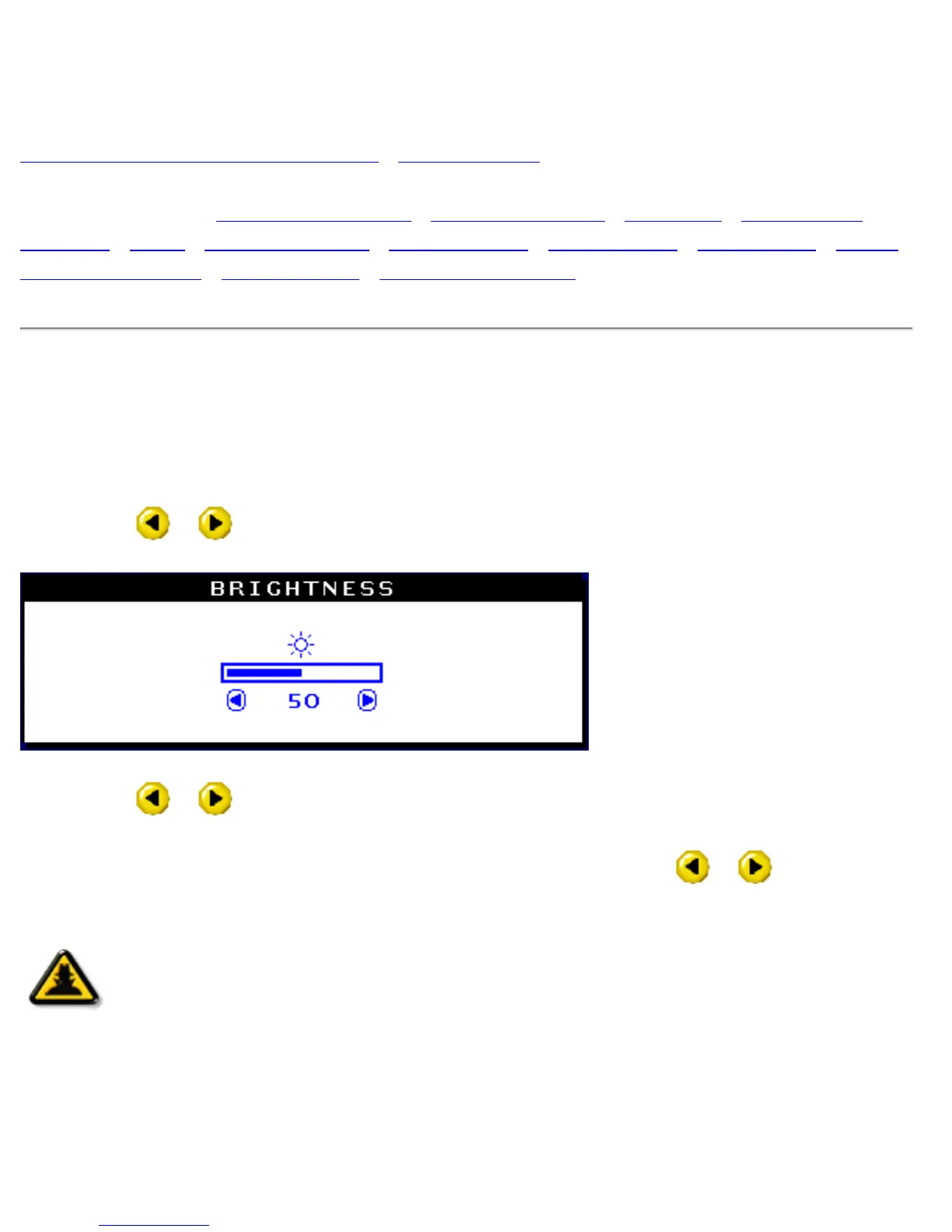
BRIGHTNESS
To adjust your screen's brightness, follow the steps below. Brightness is the overall intensity of the
light coming from the screen. A 50% brightness is recommended.
1) Press the
or button on the monitor. The BRIGHTNESS window appears.
2) Press the or button to adjust the brightness.
3) When the brightness is adjusted to the level desired, stop pressing the
or button and
after three seconds the BRIGHTNESS window will disappear with the new adjustment saved.
Smart
Help
After the BRIGHTNESS window has disappeared, to continue to the
CONTRAST window, follow the steps under CONTRAST.
file:///D|/EDFU/crt_19/edoc/english/OSD/osd_cont.htm (1 of 27)7/19/2004 4:08:26 PM


 To Next Page