2
19
1
2
3
6
7
10
12
14
16
20
21
22
19
18
17
15
13
11
9
8
5
4
3
4
5
6
7
0 to 120
8
9
Note : Not applicable for this model.
10
11
Not applicable for this model.
OK
12.
Not applicable for this model.
13
14
15
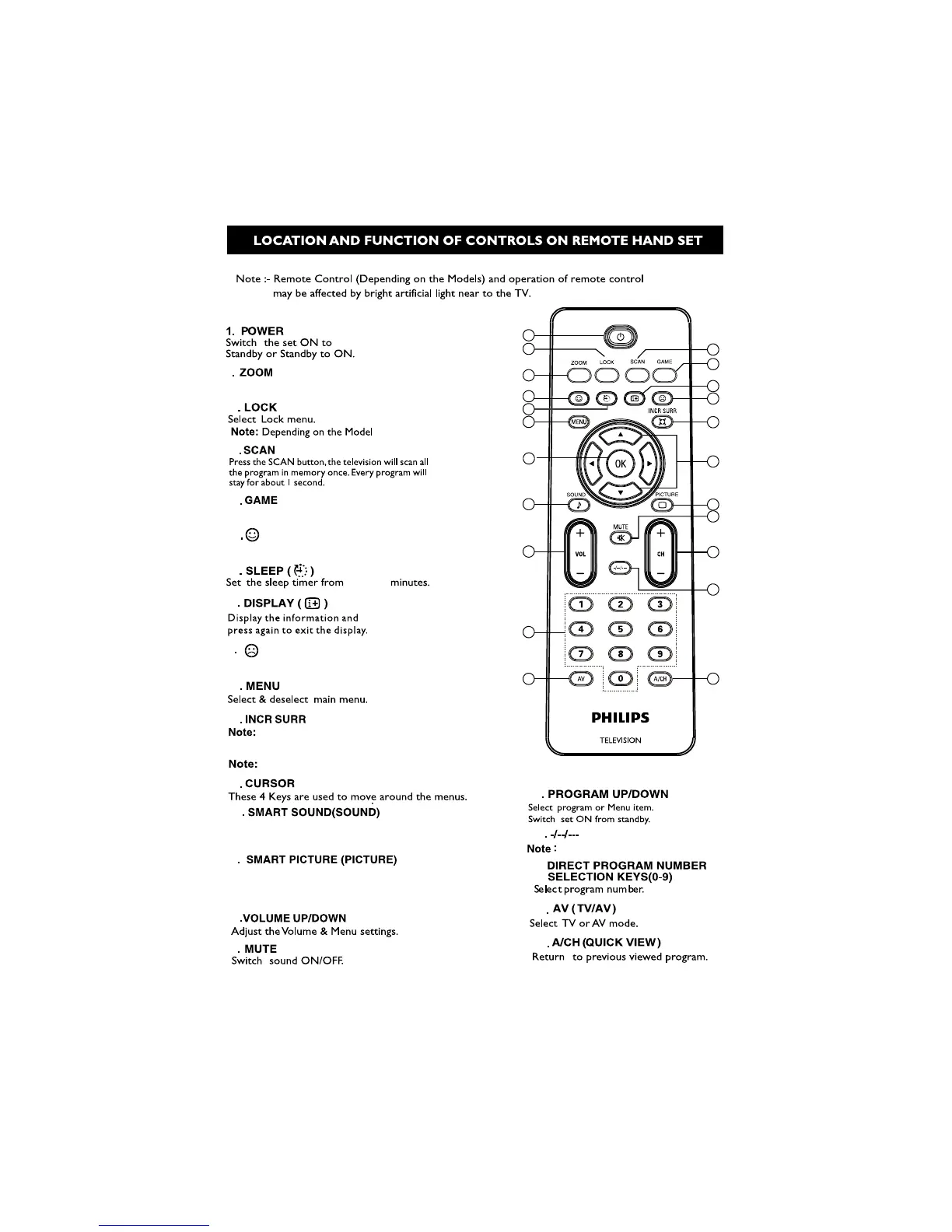
Press the PICTURE button to cyclically
select , GAME, MOVIE,STANDARD
SPORTS, CUSTOM.
16
17
18
Not applicable for this model.
20.
21
22
5
Press the SOUND button to cyclically
select CUSTOM,VOICE,MUSIC,THEATRE.
Note : Not applicable for this model.
Note : Not applicable for this model.
ZOOM is for adjusting aspect ratio.




 To Next Page