TjJb e TV_' Audio/Video Input jacks are
r direct picture and sound connec-
tions between the TV and a VCR (or
similar accessory device) that has
Audio/Video Output jacks.
(BEGIN
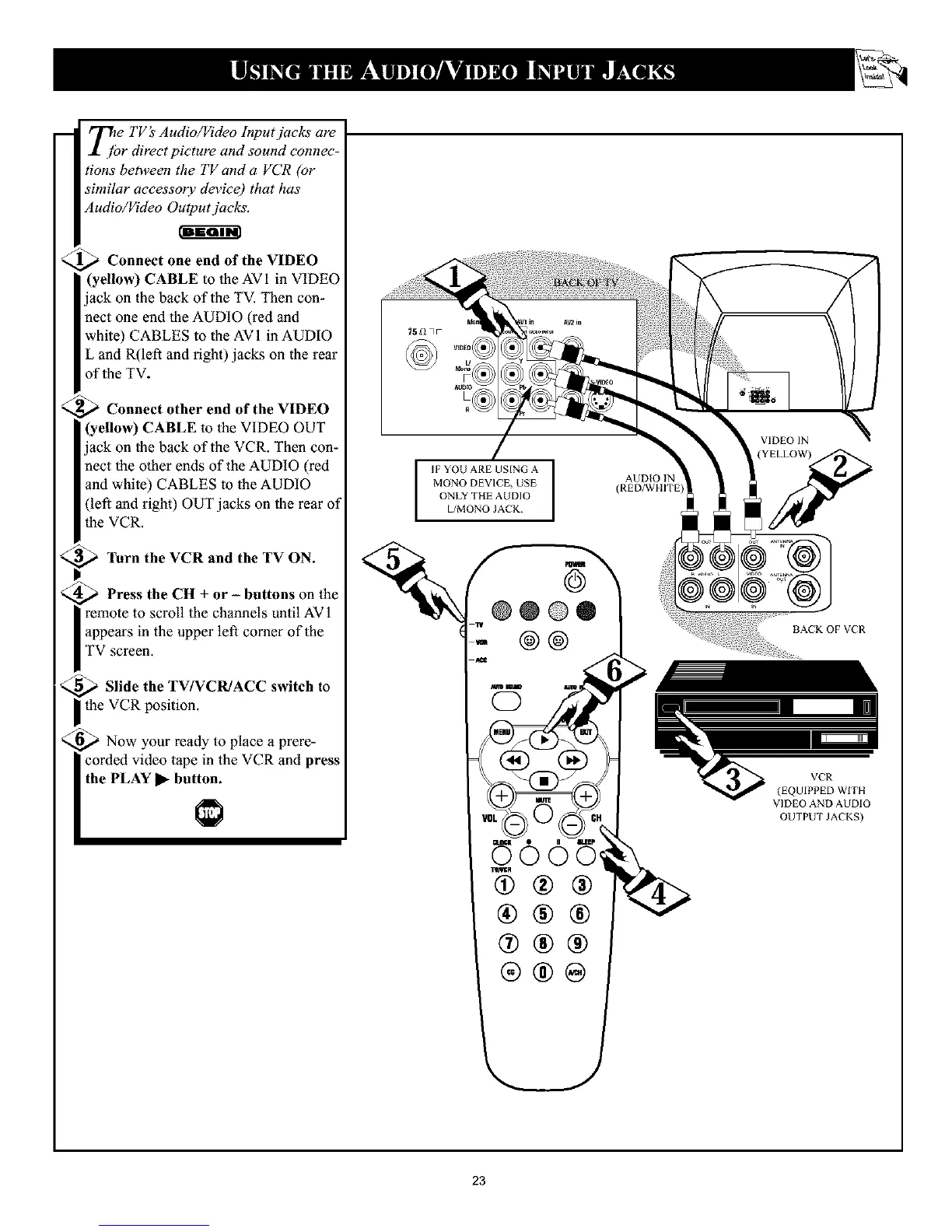
Connect one end of the VIDEO
(yellow) CABLE to lhe AVI in VIDEO
ack on the back of the TV. Then con-
aect one end the AUDIO (red and
white) CABLES to the AVI in AUDIO
L and R(left and right) jacks on the rear
of the TV.
Connect other end of the VIDEO
(yellow) CABLE to the VIDEO OUT
ack on the back of the VCR. Then con-
aect the other ends of the AUDIO (red
and white) CABLES to the AUDIO
(left and right) OUT jacks on the rear of
the VCR.
p$_ Turn the VCR and the TV ON.
_ Press the CH + or - buttons on the
remote to scroll the channels until AV1
| appears in the upper left corner of the
I TV screen.
_ Slide the TV/VCR/ACC switch to
_the VCR position.
,_ Now your ready to place a prere-
corded video tape in the VCR and press
the PLAY _ button.
1
IF YOU ARE USING A I
I
MONO DEVICE, USE
ONLY THE AUDIO
L/MONO JACK
AUDIO IN
(RED/WHITE
®@
II IIIIEp
®
®®@
>
BACKOFVCR
VCR
(EQUIPPED WITH
VIDEO AND AUDIO
OUTPUT JACKS)
23










 To Next Page