Tlhe Auto Soundjeature allows the
istener to select betweenfimr d!f:
.ibrentjactory set sound options.
Personal (which can be set by the user),
Theatre ([br movie viewing), Music' ([br
musical type programming) and Voice
(when the program is mainly dialogue).
These setting q/.f_ct the Sound menu's
Bass, Treble, A VL, and Incredible
Surround controls'
To select any of the optionsjbllow the
directions below.
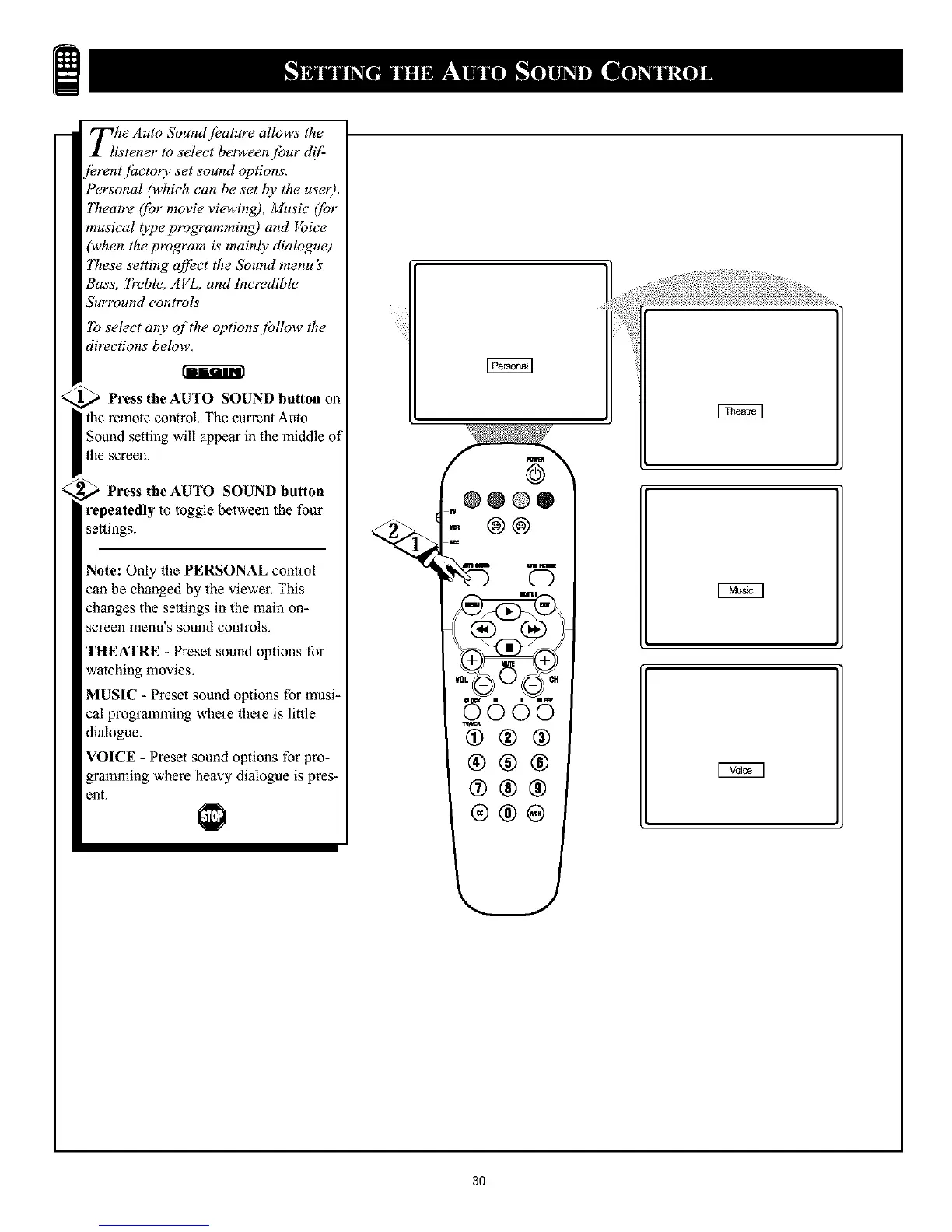
Press the AUTO SOUND button on
the remote control. The current Auto
Sound setting will appear in the middle of
the screer_.
,_ Press the AUTO SOUND button
repeatedly to toggle between the four
settings.
Note: Only the PERSONAL control
can be changed by the viewer. This
changes the settings in the main on-
screen menu's sound controls.
THEATRE - Preset sound options for
watching movies,
MUSIC - Preset sound options for musi-
cal programming where there is little
dialogue.
VOICE - Preset sound options fur pro-
grmnming where heavy dialogue is pres-
ent,
@@@®
@@
@®®
®®®
®®®
®®®
3O










 To Next Page