8
2. Setting up the monitor
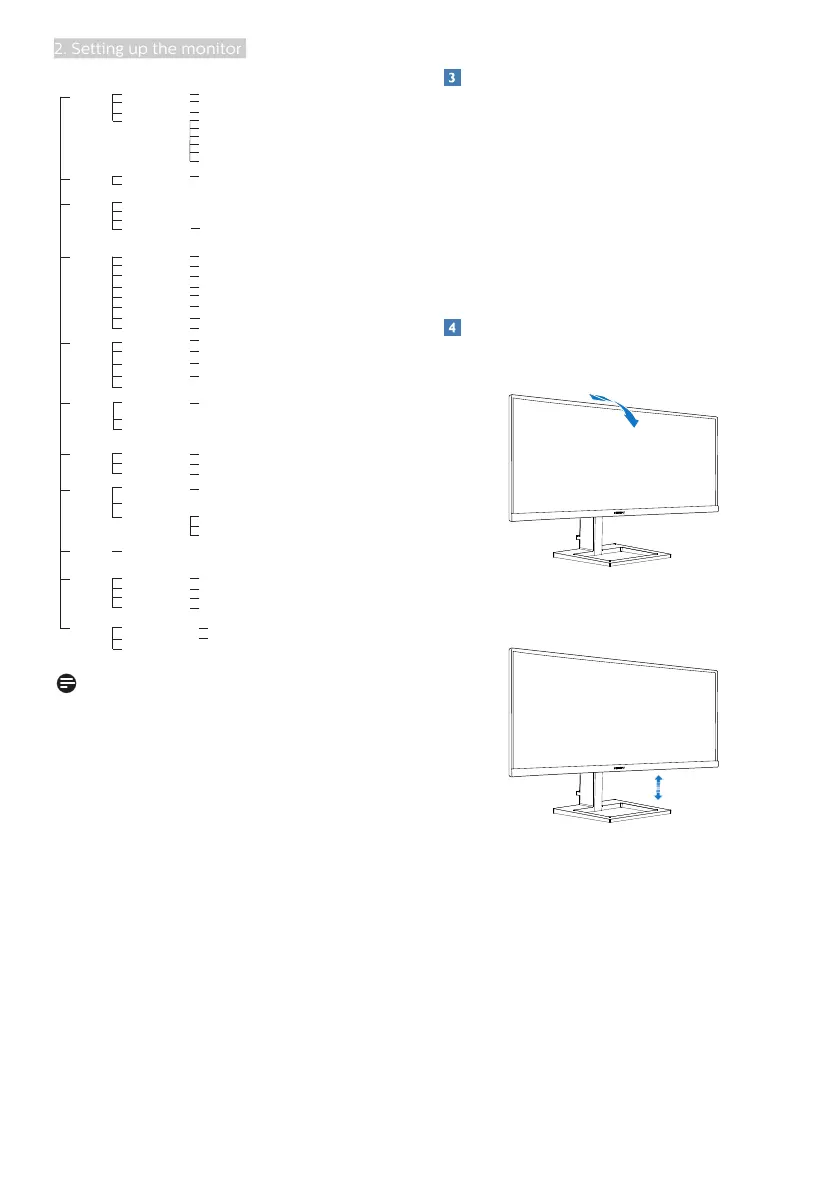
Picture
OSD Settings
Setup
Language
Color
Audio
PIP/PBP
LowBlue
Mode
Input
Horizontal
Vertical
Transparency
OSD Time Out
Resolution Notication
Color Temperature
sRGB
User Dene
Reset
Information
SmartContrast
Gamma
Contrast
Brightness
Volume
Mute
Audio Source
PIP / PBP Mode
Swap
PIP / PBP Input
0~100
0~100
O, 1, 2, 3, 4
5s, 10s, 20s, 30s, 60s
Native,5000K,6500K,7500K,8200K,9300K,11500K
Red: 0~100
Green: 0~100
Blue: 0~100
Yes, No
0~100
0~100
On, O
On, O
1.8, 2.0, 2.2, 2.4, 2.6
0~100
O, PIP, PBP
Sharpness
0~100
O
On
1,2,3,4
2 HDMI 1.4
DisplayPort
Auto
Pixel Orbiting On, O
On, O
English, Deutsch, Español, Ελληνική, Français, Italiano, Maryar, Nederlands,
Português, Português do Brasil, Polski , Русский, Svenska, Suomi, Türkçe,
Čeština, Українська, 简体中文, 繁體中文,日本語,한국어
Over Scan
On, O
PIP Size
1 HDMI 1.4,2 HDMI 1.4, DisplayPort
PIP Position
Small, Middle, Large
Top-Right, Top-Left, Bottom-Right, Bottom-Left
HDMI1, HDMI2, DisplayPort
1 HDMI 1.4
SmartImage
FPS,Racing,RTS,Gamer1,Gamer2,LowBlue Mode,EasyRead,O
Game Setting
MPRT Level
MPRT
On, O
SmartFrame
SmartResponse
0~20
O, Fast , Faster, Fastest
On, O
Size (0,1,2,3,4,5,6,7)
Brightness (0~100)
Contrast(0~100)
H. position
V. position
SmartSize
Panel Size
1:1
Aspect
17'' (5:4) 19''W (16:10) 18.5''W (16:9) 19.5''W (16:9)
20''W (16:9) 21.5''W (16:9) 23''W (16:9) 29'W
On, O
Note
• MPRT: To reduce motion blur, LED
backlight will strobe synchronously
with screen refresh, which may
cause noticeable brightness change.
• 75Hz refresh rate or higher is
required for MPRT.
• FreeSync and MPRT cannot be
enabled simultaneously.
• MPRT is to adjust brightness for
blur reduction, so cannot adjust
brightness and SmartImage while
MPRT is turned on.
• MPRT is gaming-optimized mode.
It is recommended to turn off
when you are not using the gaming
function.
Resolution notification
This monitor is designed for optimal
performance at its native resolution,
2560 x 1080. When the monitor is
powered on at a different resolution, an
alert is displayed on screen: Use 2560 x
1080 for best results.
Display of the native resolution alert can
be switched off from Setup in the OSD
(On Screen Display) menu.
Physical Function
Tilt
-5˚
20˚
Height adjustment


 To Next Page