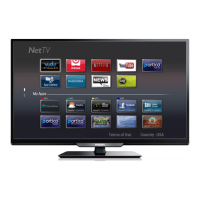
Remote control
p
q
t
s
r
o
n
b
a
c
f
d
g
k
l
m
i
j
e
h
(POWER)
Turns the TV on from standby or off to standby.
YouTube
Access directly to YouTube.
EasyLink buttons
/
: Searches backward or forward through the disc.
.
: Starts, pauses or resumes playback.
.
: Stops the disc playback.
Note(s)
•
Pause may not work properly on some devices even if they are EasyLink (HDMI CEC)
compliant.
SAP
Selects audio mode (MONO / STEREO / SAP) / audio language.
(Home)
Displays the main menu.
INFO
Displays information about the current program.
!
OK
Press to decide the command of setting when the Home menu is
displayed.
"
(NAVIGATION buttons)
Moves the cursor, selects the on-screen menu items.
#
OPTIONS
Displays a list of menu items applicable to the highlighted object or
screen.
$
SOURCE
Selects connected devices.
%
CH + / –
Selects a channel.
&
COLOR buttons
Works as direct access to user specified net apps.
'
0 - 9 (NUMBER buttons)
Used to enter a channel / program number.
• (DOT)
: Use with 0-9 to select digital channels.
For example, to enter 2.1, press
PREV.CH
: Returns to the previously viewed channel.
(
(MUTE)
Turns the sound on and off.
)
VOL + / –
Adjusts the volume.
*
BACK
Returns to the previous menu operation.
+
FORMAT
Adjusts the picture size on the TV screen.
,
CC
Selects closed caption settings (Off, On, CC w/ mute).
-
NETTV
Access to Net TV menu directly.
.
NETFLIX
Access directly to Netflix.
9 .English
Continued on next page.



 To Next Page
 Loading...