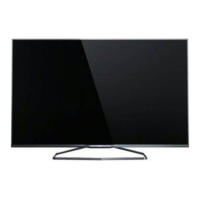
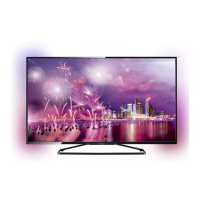
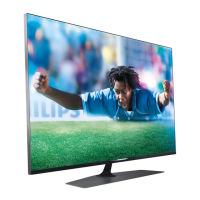
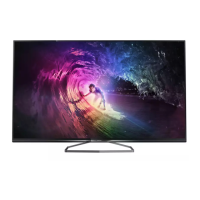
This document is a user manual for Philips Ultra Slim Smart LED TVs, specifically the 7100 and 7300 series, including models 47PFS7189/12, 55PFS7189/12, and 42PFS7189/12. It provides instructions for setup, usage, and maintenance of these televisions.
Function Description:
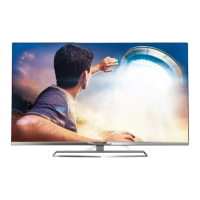
The Philips Ultra Slim Smart LED TVs are designed for home entertainment, offering high-definition video display and smart TV functionalities. They are capable of receiving broadcast television signals (both terrestrial and satellite), displaying content from various external sources (such as DVD/Blu-ray players, game consoles, and computers), and connecting to the internet for streaming services and other online features. The "Smart LED TV" designation implies integrated internet connectivity and a platform for running applications, browsing the web, and accessing on-demand content. The "Ultra Slim" design indicates a sleek and modern aesthetic, suitable for contemporary living spaces.
Important Technical Specifications:
While specific technical specifications like screen resolution, refresh rate, or audio output power are not explicitly detailed in the provided snippets, the manual highlights several key features and connectivity options:
- VESA Mounting: The TVs support VESA mounting, with a specified pattern of 400x400 M6. This indicates compatibility with a wide range of wall mounts, allowing for flexible installation options. The "M6" refers to the screw size required for mounting.
- Connectivity:
- Power: Standard AC power input.
- Antenna: Input for terrestrial TV antenna (COAX).
- Satellite Coax: Input for satellite TV signals.
- HDMI: Multiple High-Definition Multimedia Interface inputs are available, essential for connecting modern digital devices like Blu-ray players, gaming consoles, and set-top boxes. The presence of "HDMI ARC" (Audio Return Channel) is often implied with multiple HDMI ports, allowing for simplified audio connections to sound systems. The manual shows at least two HDMI inputs, one labeled "HDMI" and another "HDMI ANTENNA," suggesting potential for integrated tuner functionality.
- USB: At least one USB port is present, enabling connection of external storage devices for media playback (e.g., photos, videos, music) and potentially for recording TV programs (PVR functionality), indicated by "HDD REC."
- SCART: A SCART input is included, providing backward compatibility with older analog devices.
- YPbPr L/R (Component Video): Component video inputs are available for connecting analog high-definition devices.
- Audio Out Optical (TOSLINK): An optical digital audio output allows for high-quality audio connection to external sound systems or home theater receivers.
- Network (Ethernet): A dedicated Ethernet port for wired internet connectivity, ensuring stable and fast network access for Smart TV features.
- Wi-Fi: Built-in Wi-Fi connectivity (Wi-Fi Certified) for wireless internet access, offering convenience and flexibility in placement.
- Remote Control: The TV comes with a dedicated remote control, which is essential for navigating the TV's menus and controlling its functions.
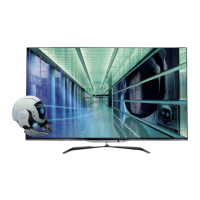
- 3D Capability: The inclusion of "x4" 3D glasses in the accessories suggests that these models are 3D-capable, allowing users to watch 3D content.
Usage Features:
The manual outlines a straightforward setup and usage process:
- Assembly: The TV can be set up in two main configurations:
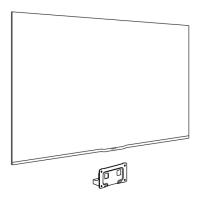
- Tabletop Stand (A): Involves attaching a base stand to the TV using screws. The process includes carefully placing the TV face down on a soft surface, attaching the stand components, and then securing them with screws.
- Wall Mount (B): Requires a VESA-compatible wall mount (400x400 M6). The manual emphasizes maintaining a minimum distance of 20 cm from the wall for proper ventilation and access.
- Initial Setup:
- Power Connection: Connecting the TV to a power outlet.
- Antenna/Satellite Connection: Connecting the appropriate antenna or satellite cables for TV reception.
- External Device Connection: Instructions for connecting various external devices via HDMI, SCART, YPbPr, USB, and optical audio.
- Network Connection: Setting up either wired (Ethernet) or wireless (Wi-Fi) internet connection for Smart TV features. The "Setup" screen for network configuration is shown, allowing users to search for networks and connect.
- Remote Control Operation: Instructions for inserting batteries into the remote control and using it to interact with the TV. The remote features directional buttons and an "OK" button for navigation and selection.
- Smart TV Functionality: The TV supports "SmartTV" features, which likely include access to apps, streaming services, and web browsing. The network setup is crucial for these features.
- On-Screen Help: The TV includes an integrated help system, accessible via a dedicated "?" button on the remote. This system provides information on various topics, including safety instructions, stand and wall mounting, power cable connection, antenna cable, and satellite dish setup. This feature is designed to guide users through common issues and provide quick answers.
Maintenance Features:
While explicit maintenance instructions are not detailed in the provided snippets, the manual implicitly suggests several aspects:
- Safety Instructions: The manual prominently features a section on "Read the safety instructions" in multiple languages, indicating the importance of safe operation and handling. This typically covers aspects like proper ventilation, avoiding liquid spills, and safe power usage.
- Cleaning: The presence of "Чистящие средства" (Cleaning products) in the related products section (on the last page) suggests that specific cleaning solutions are recommended for maintaining the TV screen and body.
- Software Updates: As a Smart TV, it is highly probable that the device supports firmware or software updates, which are crucial for maintaining performance, security, and adding new features. Although not explicitly shown in the snippets, this is a standard maintenance feature for modern Smart TVs.
- Support: The manual directs users to "www.philips.com/welcome" for product registration and support, and provides contact information for Philips customer service in various countries. This indicates a robust support system for troubleshooting and maintenance inquiries. The "Contact Philips" section on page 11 lists phone numbers and websites for customer care, frequently asked questions, and email support.
In summary, the Philips Ultra Slim Smart LED TVs (7100 and 7300 series) are versatile home entertainment devices offering a comprehensive range of connectivity options, smart features, and user-friendly setup, supported by an integrated help system and extensive customer support. The design emphasizes a slim profile and modern aesthetics, while the inclusion of 3D glasses points to an immersive viewing experience.

 Need help?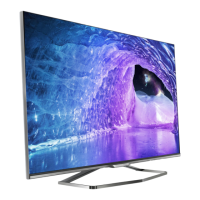




 To Next Page
 General