5-2 PL12.4_A (LC10)EA
1. Purity Check Mode
This mode cycles through full-screen displays of red,
green, blue, and white to check for non-active pixels.
1. Enter the service mode.
2. Each time the [7] button on the remote control unit
is pressed, the display changes as follows.
3. To cancel or to exit from the Purity Check Mode,
press [CH RETURN] or [PREV CH] button.
2. VCOM Adjustment
1. Operate the unit for more than 60 minutes.
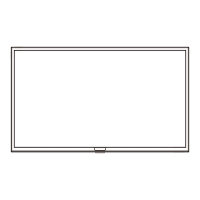
2. Set the color analyzer at the zero point calibration
and bring the optical receptor pointing at the
center of the LCD-Panel.
Note: The optical receptor must be set
perpendicularly to the LCD Panel surface.
3. Enter the Service mode.
4. Press [3] button on the remote control unit.
5. Press [CHANNEL UP/DOWN] buttons on the
remote control unit so that the color analyzer value
becomes minimum.
6. To cancel or to exit from the VCOM Adjustment,
press [CH RETURN] or [PREV CH] button.
[7] button
Note:
When entering this mode, the default setting is White mode.
Purity Check Mode
[7] button
White 50% mode
Red, Green, Blue mode
V-ramp mode
Black mode
[7] button
White mode
[7] button
[7] button
White 20% mode
[7] button
Test Point Adj. Point
Screen
[CHANNEL UP/DOWN]
buttons
M. EQ. Spec.
Color analyzer See below
Figure
Color Analyzer
To avoid interference from ambient
light, this adjustment should be
performed in a dark room.
Perpendicularity


 To Next Page
 Loading...