Technical Specs, Diversity, and Connections
EN 3TPS15.3A LA 2.
2015-Oct-23
back to
div.table
2.3 Connections
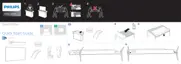
Figure 2-1 Connection overview
Note: The following connector colour abbreviations are used
(acc. to DIN/IEC 757): Bk= Black, Bu= Blue, Gn= Green,
Gy= Grey, Rd= Red, Wh= White, Ye= Yellow.
2.3.1 Side Connections
1 - Cinch: SPDIF - Out
Ye - Coaxial 0.4 - 0.6V
PP
/ 75 kq
2 - Audio out
Connect to loudspeaker box or equivalent to output audio.
3 - Mic - in
Bk - Microphone 80 - 600 / 10 mW ot
4 - USB1 2.0
Figure 2-2 USB (type A)
1-+5V k
2 - Data (-) jk
3 - Data (+) jk
4 - Ground Gnd H
5 - USB2 2.0
Figure 2-3 USB (type A)
1-+5V k
2 - Data (-) jk
3 -Data (+) jk
4 - Ground Gnd H
6 - TV ANTENNA - In
Signal input from an antenna, cable or satellite.
7 - TV ANTENNA - In
Signal input from an antenna, cable or satellite.
8 - HDMI 2: Digital Video - In, Digital Audio - In/Out
Figure 2-4 HDMI (type A) connector
1 - D2+ Data channel j
Audio outAudio out
1
2
NETNETWORKORK
PC / DVI PC / DVI
MICMIC
19900_001.eps
1
2
3
4
10
5
6
7
8
9
1112
1314
1 2 3 4
10000_022_090121.eps
090121
1 2 3 4
10000_022_090121.eps
090121
10000_017_090121.eps
090428
19
1
18 2


 To Next Page
 Loading...