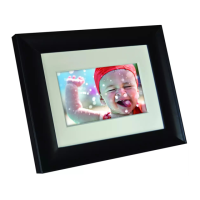
Need help?
Do you have a question about the Philips 6FF3FPW and is the answer not in the manual?
Philips photo enhancement technology that corrects color, adjusts contrast, and optimizes gamma for accurate color reproduction.
Ensures photos are displayed in a 4:3 aspect ratio for optimal viewing experience without distortion.
Extends photo colors to screen edges, eliminating black bars and aspect ratio distortion for optimal 4:3 display.
Slideshow effect that automatically compiles different photos into a collage, eliminating unattractive borders.
USB connector allows easy viewing and sharing of photos directly from a USB flash drive.
Timer function to automatically turn the Photo Frame on/off, reducing energy consumption and costs.
Automatic landscape/portrait recognition sensor displays each photo in its proper mode.
Details on physical dimensions, weight, packaging, and included accessories for the PhotoFrame.
Information on USB connectivity, supported memory card types, and connected media status.
Features like buttons, OSD languages, photo editing tools, supported formats, and playback modes.
Specifications for aspect ratio, brightness, contrast ratio, panel resolution, and viewing angle.
Details on power consumption, power modes, and types of storage media supported by the device.
 Picture and Display
| Viewing angle (H) | 130º |
|---|---|
| Viewing angle (V) | 110º |
| Lifetime to 50% brightness | 20000 hr |
| Brightness | 200 cd/m² |
| Contrast ratio (typical) | 300:1 |
| Panel resolution | 320 x 234 |
Connectivity| USB | USB 2.0 Host |
|---|
Storage Media| USB | USB flash drive |
|---|---|
| Memory Card Types | Secure Digital (SD), Secure Digital (SDHC), Multimedia Card, xD card, Memory Stick, Memory Stick Pro |
 Power
Power| Power consumption | 3 W |
|---|---|
| Power mode supported | AC powered |
Operating Environment| Temperature range (operation) | 0°C to 40°C |
|---|---|
| Temperature range (storage) | -20°C to 70°C |
 Weight and Dimensions
| Set dimensions with stand (W x H x D) | 167.8 x 135.3 x 100.73 mm |
|---|---|
| Outer carton dimensions (L x W x H) | 52.6 x 24.3 x 25.2 cm |
| Packaging dimensions (W x H x D) | 22.2 x 21.5 x 8 cm |

 To Next Page