EasyManua.ls Logo

Philips 710 - Tape Handling Functions

Philips 710
12 pages
Print Icon
To Next Page IconTo Next Page
To Previous Page IconTo Previous Page
Loading...
Rrwhro
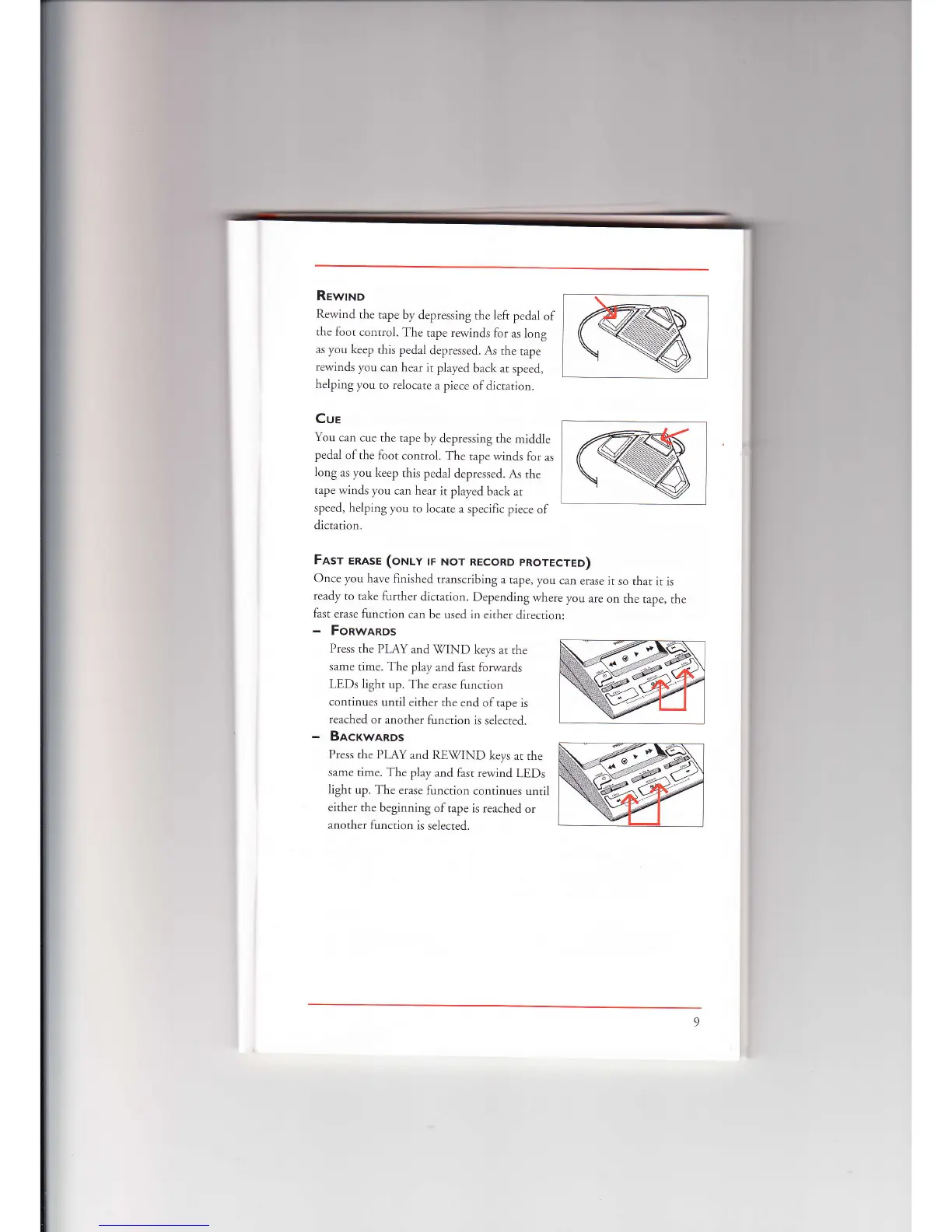
Rewind
the
tape by
depressing
the left
pedal
of
rhe loot
control.
The
tape rewinds
lor
as long
as you
keep this
pedal
depressed.
As the
tape
rewinds
you
can
hear it
played
back at
speed,
helping
you
to relocare
a piece
ofdictation.
Cue
You can
cue the
tape
by
depressing the
middle
pedal
ofthe foot
control.
The
tape winds
for
as
long
as you keep
this
pedal
depressed.
As the
tape
winds you
can hear
it
played back
at
speed,
helping you
to locare
a
speciflc
piece
of
dictation.
Fasr
enese (orulv
rr Nor
REcoRD
pRorEcrED)
Once you
have finished
transcribing
a rape,
you
can
erase
it so that
it is
ready
to
take further
dictation.
Depending
where
you
are
on rhe
tape, the
fast erase
function
can
be used in
either
direction:
-
Fonwanos
Press
the PIAY
and
\MND
keys
at the
same
time. The
play
and fast forwards
LEDs
light
up. The
erase function
continues
until either
the
end oftape
is
reached
or another
function
is selected.
-
Bacrwanos
Press the
PLAY
and RE\7IND
keys
at the
same time.
The
play and fast
rewind
LEDs
light
up. The erase
function
conrinues
unril
either the
beginning
oftape is reached
or
another
function
is
selected.

Related product manuals