EasyManua.ls Logo

Philips 710 - Troubleshooting and Support; Common Problems and Solutions; Contacting Support

Philips 710
12 pages
Print Icon
To Previous Page IconTo Previous Page
Loading...
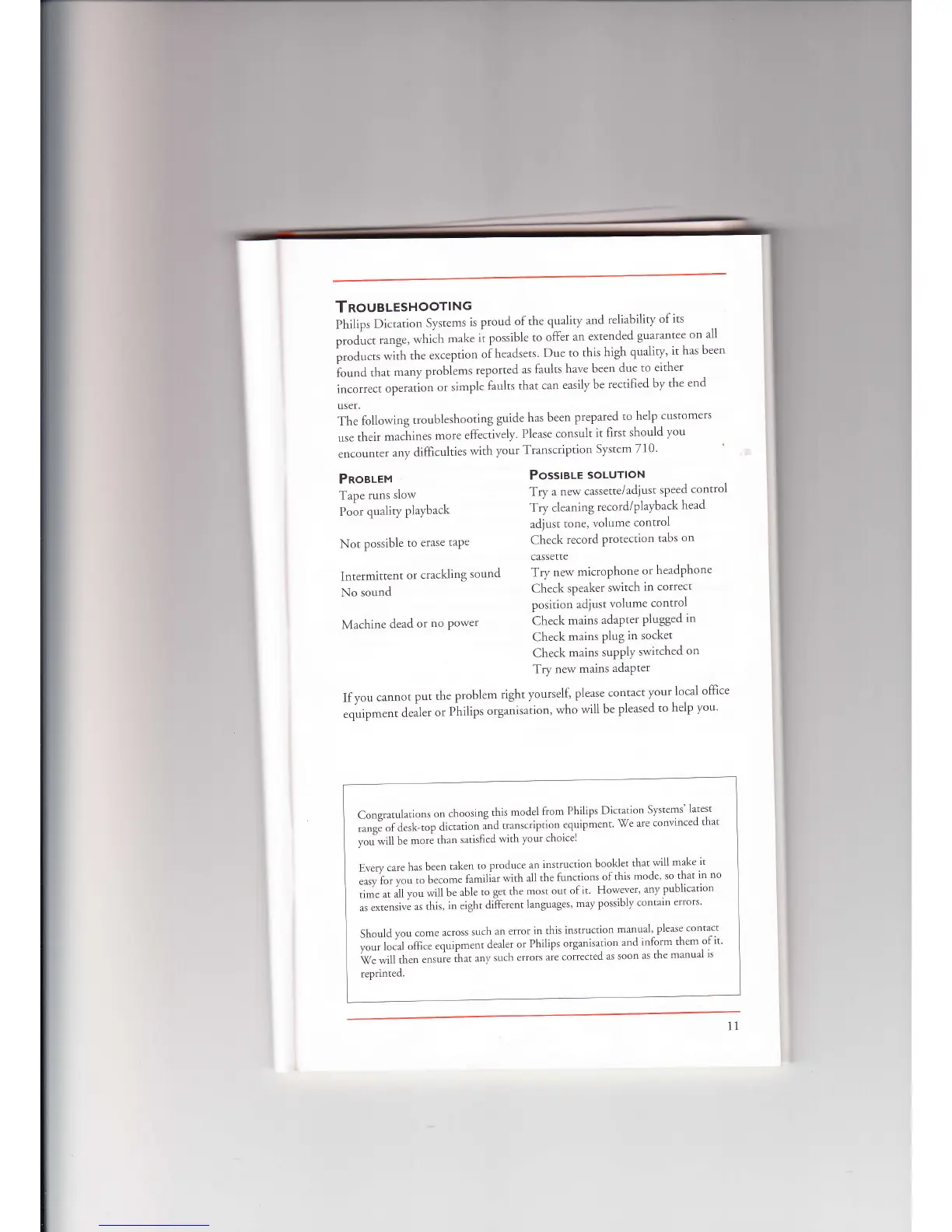
TRoueLesHoorlNG
Philips
Dictation
Systems
is proud
of the
quality
and
reliability
of
its
pt"air.
rarrge,
which
mrke
it possible
to
ofler
an-extended
guarantee
on-all
prod.r.*
*ilh
th.
exception
oih.,d,.ts'
Due
to
this
high
qualiry'
it has
been
i'or,ld
thrt
-"ny
probL-,
reported
as faults
have
been
due to
either
incorrect
operation
or
simple
faults
that
can
easily
be
rectified
by
the
end
user.
The
following
troubleshooting
guide
has
been
prepared
to
help
customers
use
their
rnr.lrin.,
more
effectively'
Please
consult
it
first
should
you
encounter
any
difficulties
with
your
Transcription
System
710'
PossteLe
soLUTIoN
Try
a new
cassette/adiust
speed
control
Try
cleaning
record/playback
head
adjust
tone,
volume
control
Check
record
protection
tabs
on
cassette
PnoeLet"l
Tape
runs
slow
Poor
qualiry
playback
Not
possible
to
erase
taPe
Intermittent
or crackling
sound
Try
new
microphone
or
headphone
No
sound
Check
speaker
switch
in correct
position
adjust
volume
control
Machine
dead
or
no power
Check
mains
adapter
plugged
in
Check
mains
Plug
in
socket
Check
mains
suPPlY
switched
on
Try
new
mains
adaPter
Ifyou
cannot
put
the
Problem
right
yourself'
please
contact
your
local
office
.q.rip*..r,
d.rl..
o.
Piilips
org"nisation,
who
will
be
pleased
to
help
you'
Consratulations
on
choosing
this
model
from
Philips
Dictation
Systems'
latest
;;3;i;;i-;;;Ji.,r,-t
i'nd
transcription
equipment
'il/e
are
convinced
that
,.,i*ill be
more
than
sari.fied
with your
choicel
'*.*
.r."
n",
been
taken
to
produce
an
instruction
booklet
that
will
make
it
;;*'r;;;
;. become
familiar
with
all
the
functions
of
this
mode'
so
that
in
no
,il.L
jl
u.u
will
be
able
to
get the
most
out
of it
However'
any
publication
,,
.rt.rrir.
as this,
in
eight
different
languages,
may
possibly
contain
errors'
Should vou
come
across
such
an etror
in
this
instruction
manual'
please
contact
;;;;i;Jri;ffi..
.quipment
dealer
or
Philips
organisation
and
inform
them
of
it'
U"liri,rt."
."rr1.
ihr,
rn,
such
errors
"t
co*tcttd
as
soon
as
the
manual
is
reprinted.
11

Related product manuals