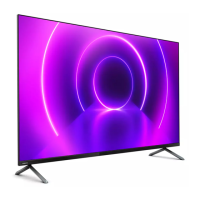
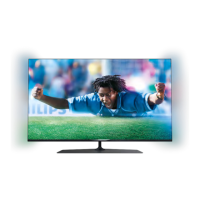
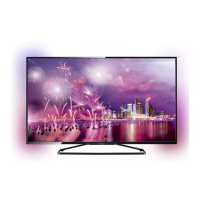
video.
Select one of the styles that follow the dynamics of
the picture on your TV screen.
• Standard - Ideal for day to day TV watching
• Natural - Follows the picture or sound as truthful
as possible
• Football - Ideal for football games
• Vivid - Ideal for daylight conditions
• Game - Ideal for gaming
• Comfort - Ideal for a quiet evening
• Relax - Ideal for a lounge feeling
Follow audio
Settings > Ambilight > Ambilight style > Follow
audio.
Select one of the styles that follow the dynamics of
the sound.
• Lumina - Mixes audio dynamics with video colours
• Colora - Based on audio dynamics
• Retro - Based on audio dynamics
• Spectrum - Based on audio dynamics
• Scanner - Based on audio dynamics
• Rhytm - Based on audio dynamics
• Party - A mix of all Follow Audio styles, one after
the other
Follow colour
Settings > Ambilight > Ambilight style > Follow
colour.
Select one of the preset colour styles.
• Hot lava - Red colour variations
• Deep water - Blue colour variations
• Fresh nature - Green colour variations
• Warm white - Static colour
• Cool white - Static colour
Follow flag
Settings > Ambilight > Ambilight style > Follow
flag.
Let Ambilight follow the country flag you select.
Follow app
Settings > Ambilight > Ambilight style > Follow
app.
This function is available when you control Ambilight
with an app.
Ambilight Brightness, Saturation
Brightness
Settings > Ambilight > Brightness.
Press the arrows (up) or (down) to set the
level of Ambilight brightness.
Saturation
Settings > Ambilight > Saturation.
Press the arrows (up) or (down) to set the
level of Ambilight saturation.
Ambilight + Hue
Configure
Settings
> Ambilight > Ambilight+hue > Configure.
Setup your Philips Hue bulbs to follow the colours of
Ambilight.
Switch Off
Switch off Ambilight+hue
Settings > Ambilight > Ambilight+hue > Switch
off.
Immersion
Settings
> Ambilight > Ambilight+hue > Immersion.
Press the arrows (up) or (down) to adjust
how accurate the Hue bulbs follow the Ambilight.
Lounge Light+hue
If you installed Ambilight+hue, you can let the hue
bulbs follow Lounge Light from Ambilight. The Philips
hue lamps will expand the Lounge Light effect across
the room.
Switch on/off the hue bulbs
Settings > Ambilight > Ambilight+hue > Lounge
light+hue.
51


 To Next Page
 Loading...