13. To ensure the GEOMETRY settings are saved: Turn the television set OFF by using
the POWER button on the remote control transmitter or the local keyboard. Disconnect
the television set from AC power for at least ten seconds. Reconnect the television set
to AC power. Turn the television set ON by using the POWER button on the remote
control transmitter or the local keyboard.
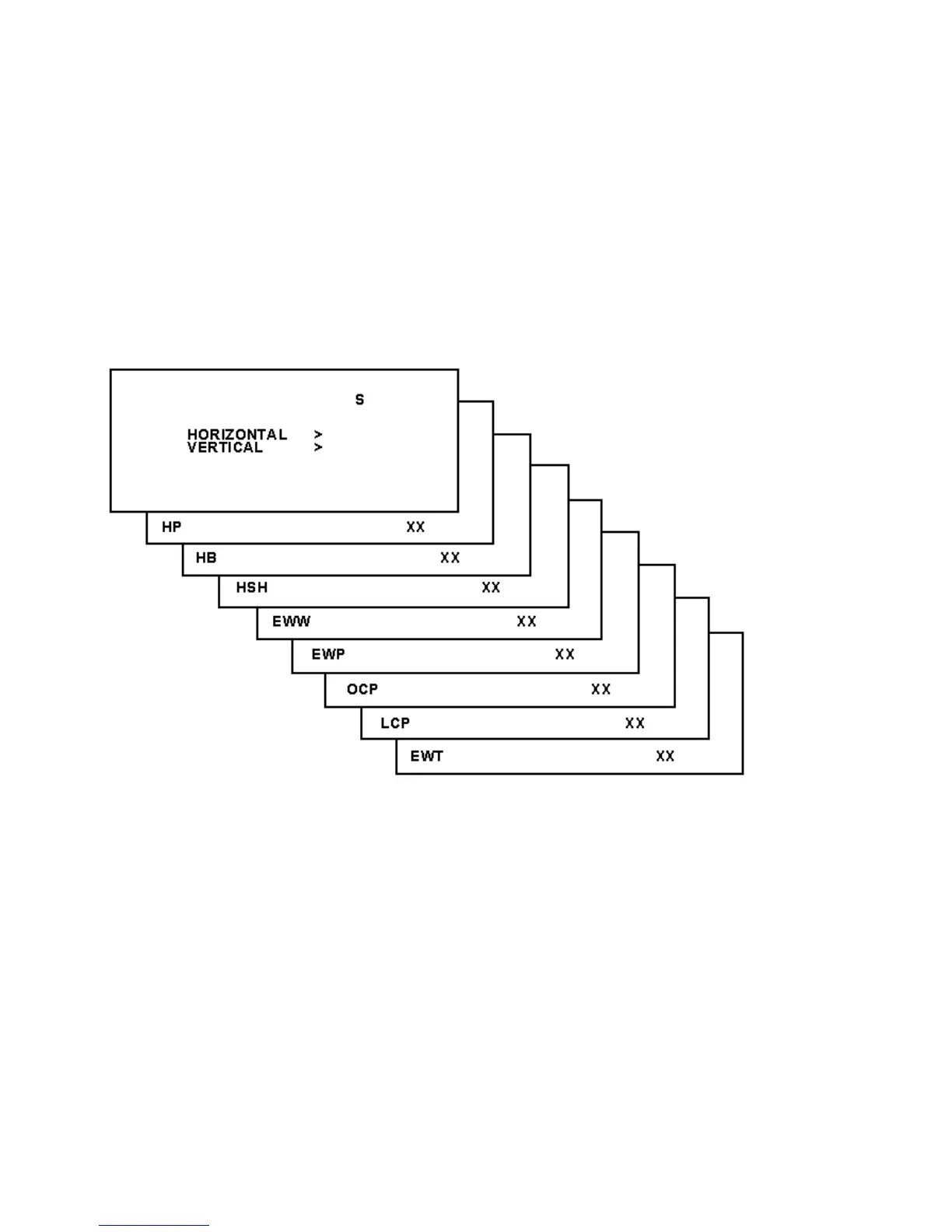
The following alignments can be performed in the GEOMETRY submenu:
Figure: Horizontal Menu
Horizontal:
Horizontal Parallelogram (HP) Aligns straight vertical lines at the top and the bottom of
the screen; vertical rotation around the center.
Horizontal Bow (HB) Aligns straight horizontal lines at the top and the bottom of the
screen; horizontal rotation around the center.
Horizontal Shift (HSH) Aligns the horizontal center of the picture to the horizontal center
of the CRT.
East West Width (EWW) Aligns the width of the picture.
East West Parabola (EWP) Aligns straight vertical lines at the sides of the screen.








 To Next Page