English
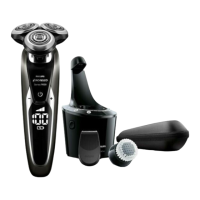
Charging in the SmartClean system
1 Put the small plug in the back of the
SmartClean system.
2 Put the supply unit in the wall socket.
3 Press to open the SmartClean system cap, to be
able to place the shaver in the holder ('click').
4 Hold the shaver upside down above the holder.
Make sure the front of the shaver points
towards the SmartClean system holder.
5 Place the shaver in the holder, tilt the shaver
backwards and press down the SmartClean
system cap to connect the shaver (‘click’).
Note: The battery symbol starts to ash to indicate
that the appliance is charging. When the battery is
fully charged, the battery symbol lights up
continuously.
34
s8960_27_en_a6_cs6_1116.indd 34 2018/11/16 17:30



 To Next Page
 Loading...