9
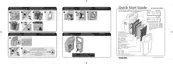
4 Remove all packaging material from the lters.
5 Put lter 4 (HEPA lter) back into the appliance.
Note: Make sure that the side with the tag points towards you.
6 Put lter 3 (Activated carbon lter) back into the appliance.
7 AC4004 only: attach lter 2 (Multi-care lter) to the back of lter 1
(pre-lter).
Note: Make sure that the front of lter 2 (Multi-care lter), that is the side with
the tag, points towards the pre-lter.
8 Place lter 1 (pre-lter) in the appliance.
Note: AC4004: make sure the Multi-care lter is attached to the back of the
pre-lter.
Note: Make sure that the side with the two projections points towards you.
Note: Make sure that all hooks are properly attached to the appliance.



 To Next Page