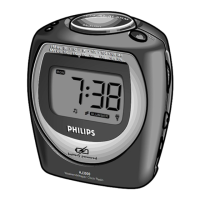
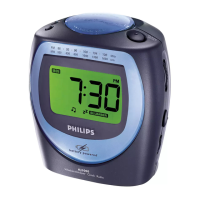
AJ3050/04
Clock Radio
Specifications Product highlights
Sound
• Sound System: Mono
• Speaker diameter: 3"
• Output power (RMS): 80mW
• Volume Control: rotary
Tuner/Reception/Transmission
• Antenna: AM Antenna, FM Antenna
• Auto digital tuning: no
• Tuner Bands: AM, FM
Connectivity
•DC in
Convenience
• Alarms: 24 hour alarm reset, Buzzer Alarm,
Gentle Wake, Radio Alarm, Repeat alarm
(snooze), Sleep timer
• Backlight
• Backlight color: Amber, Green
• Clock/Version: Digital
• Display Digits: 4
• Display Enhancements: Brightness Control
• Display Type: LCD
Accessories
•AC/DC Adaptor
• Included Accessories: User Manual, Warranty
certificate
Dimensions
• Packaging dimensions (W x H x D):
105
x 242 x 214 mm
• Product dimensions (W x H x D):
105
x 105 x 90 mm
• Weight: 0.8 kg
• Weight incl. Packaging: 5.4 kg
Power
• Battery type: AA, LR6
• Battery voltage: 1.5 V
• Mains power: no
• Number of batteries: 2
•
Issue date 2007-08-24
Version: 2.0
12 NC: 9073 101 00061
EAN: 87 10895 72391 6
© 2007 Koninklijke Philips Electronics N.V.
All Rights reserved.
Specifications are subject to change without notice.
Trademarks are the property of Koninklijke Philips
Electronics N.V. or their respective owners.
www.philips.com
AM/FM tuner
Rooster Wake-Up Alarm
An alarm setting with a refreshing difference, Rooster
Wake-Up Alarm is a witty wake-up alarm option. You
can also select a radio alarm or a traditional buzzer
alarm. Simply press the Alarm Set button to set a wake-
up time and select the alarm style. Once the Rooster
Wake-Up Alarm is chosen, a rooster symbol will appear
on the alarm display. Demo mode allows you to try out
the sound of the alarm. Rooster Wake-Up Alarm
brightens up your mornings and brings a touch of fun to
your daily routine by waking you up with a rousing rooster
call.
Wake up to radio or a buzzer
Voice Confirmation
Voice Confirmation is a reassuring electronic voice that
confirms which function on your alarm clock you are
currently using. When a function button on the alarm
clock is pressed, a reassuring electronic voice says "Set
Time", "Set Alarm" or "Alarm On/Off", thus confirming
the function that has been activated. With Voice
Confirmation, you would not make mistakes when
adjusting and setting alarm times or activating the alarm
function. This feature ensures you will be on time, all the
time!
backlit LCD display
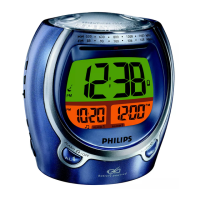
Alarm Time Display
Alarm Time Display always shows both the current time
and the time that your alarm is set to go off. The constant
display eliminates the need to press a button in order to
check whether the alarm has been set and at what time
it will go off. Alarm Time Display constantly reassures you
that your alarm is set correctly and that it will wake you
up at the intended time.
Dual alarm
Battery-low indication
To know in time when the batteries need to be recharged
or replaced.
Battery powered


 To Previous Page
 Loading...