9
English
EN
3 Get started
Always follow the instructions in this chapter in
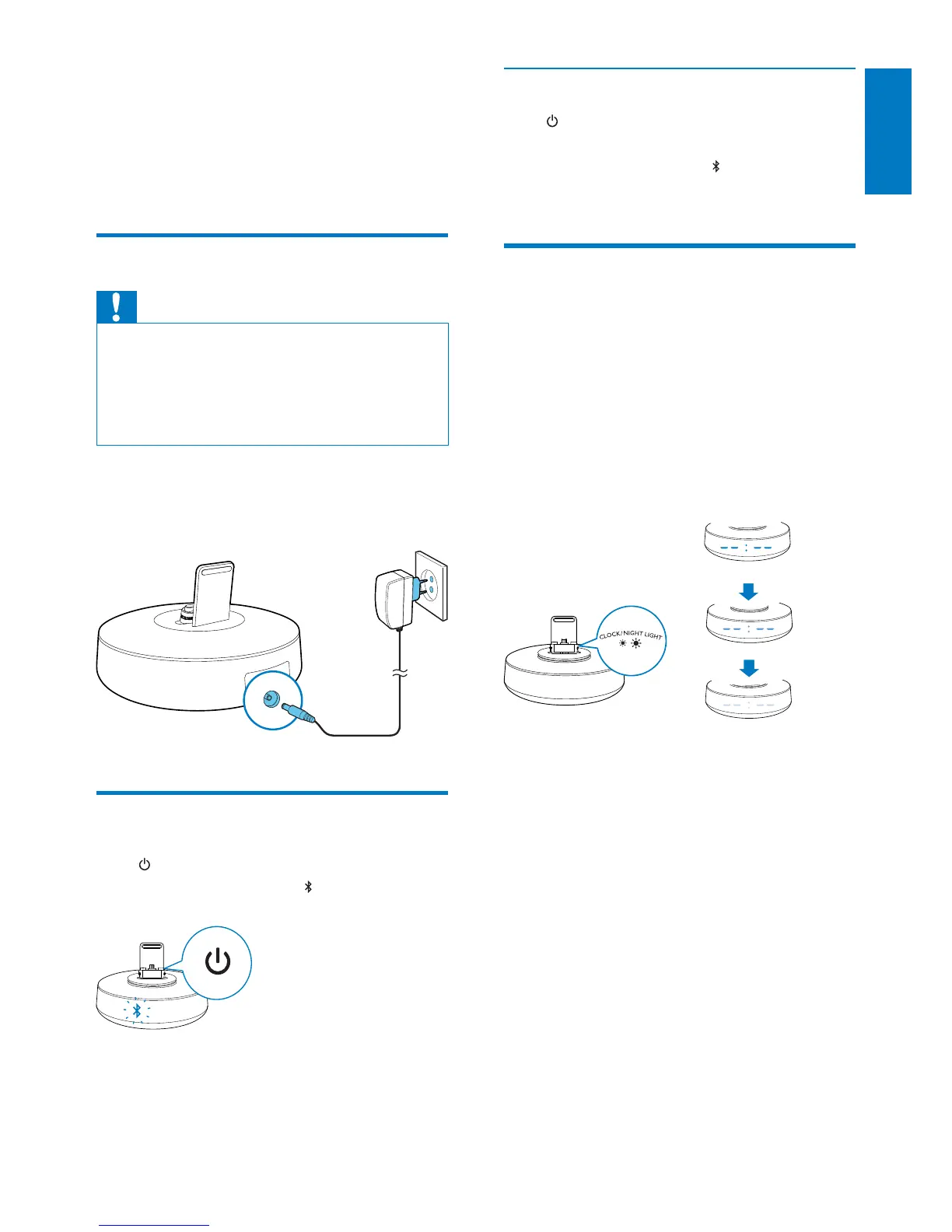
Connect power
Caution
Risk of product damage! Make sure that the power
voltage corresponds to the voltage printed on the back
or underside of the device.
Risk of electric shock! When you unplug the power
adapter, always pull the plug from the socket. Never pull
the power cord.
Connect one end of the power adapter to the
rear socket of the docking speaker, and the
other to the power outlet.
Turn on
Press .
» The Bluetooth indicator
on the display
panel begins to blink.
Switch to standby mode
Press again to switch the docking speaker to
standby mode.
» The Bluetooth indicator
on the display
panel goes off.
Adjust brightness of display
panel
In standby mode, press CLOCK/NIGHT
LIGHT repeatedly to adjust the brightness of
display panel.
» The brightness of the time digits on the
display panel toggles between high, medium,
and low level.



 To Next Page