EasyManua.ls Logo

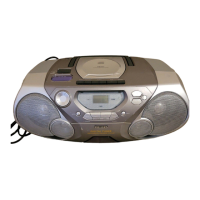
Philips AZ 8050 - User Manual

Philips AZ 8050
16 pages
Print Icon
To Next Page IconTo Next Page
Loading...

Other manuals for Philips AZ 8050

Question and Answer IconNeed help?

Do you have a question about the Philips AZ 8050 and is the answer not in the manual?

Summary

Basic Functions

Switching On and Off

How to turn the device on/off and put it into standby mode.

CD Player Operation

Playing a CD

Loading, starting, and stopping CD playback.

CD Programming

Programming Track Numbers

Storing a sequence of tracks for playback.

Cassette Recorder Basic Use

Cassette Recorder Recording Methods

CD Synchro Start Recording

Recording from a CD to cassette automatically.

General Maintenance

Troubleshooting

Common Problems and Solutions

Lists common issues like no sound, poor reception, CD errors, and their remedies.

Summary

Basic Functions

Switching On and Off

How to turn the device on/off and put it into standby mode.

CD Player Operation

Playing a CD

Loading, starting, and stopping CD playback.

CD Programming

Programming Track Numbers

Storing a sequence of tracks for playback.

Cassette Recorder Basic Use

Cassette Recorder Recording Methods

CD Synchro Start Recording

Recording from a CD to cassette automatically.

General Maintenance

Troubleshooting

Common Problems and Solutions

Lists common issues like no sound, poor reception, CD errors, and their remedies.

Philips AZ 8050 Specifications

General IconGeneral
BrandPhilips
ModelAZ 8050
Media TypeCassette, CD
Headphones Output3.5 mm jack
Tuner BandsFM
FeaturesRadio
Power SourceAC power, Battery
Signal-to-Noise Ratio50 dB
Battery Type6 x D size batteries

Related product manuals