3
Get started
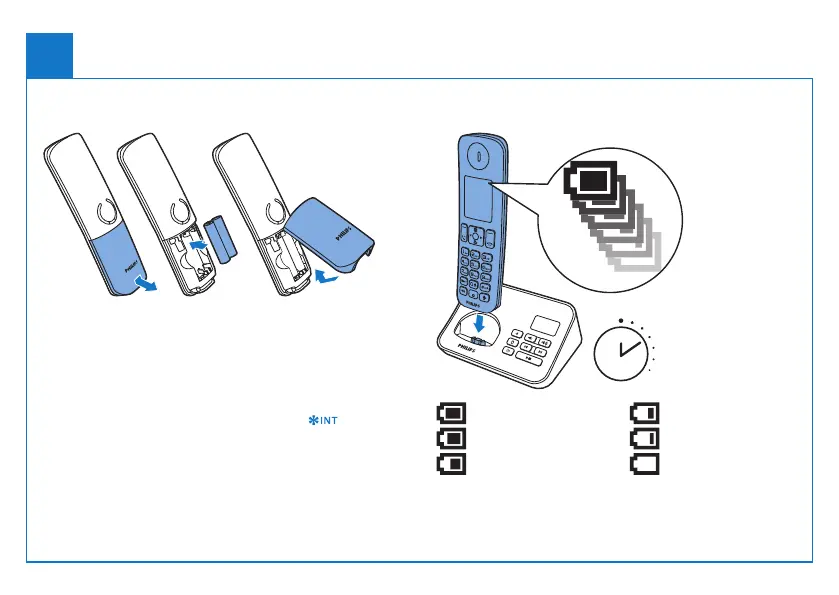
Insert batteries Charge your phone
Charge 8 hours
Congure your phone
1 Whenusingyourphoneforthersttime,youseea
welcome message (country dependent).
2 Set the country and language if prompted.
3 Set the date and time.
•If the time is in 12-hour format, press to select
[am] or [pm] (country dependent).
> 84%
68% - 84%
52% - 68%
36% - 52%
18% - 36%
< 18%
Flashing: low battery
Scrolling: charging in progress



 To Next Page