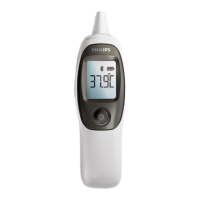
2 Press and hold the°C/°F selectionbutton for 3
seconds to change the measurement unit (fig.
17).
Cleaning and storage
Use a cotton swab to clean the infrared sensor.
1 Moisten the cotton swab with a few drops of al
cohol and wipethe surface of the infrared sen
sor gently with the swab (fig. 18).
2 Immediately wipe the surface dry with a clean
cotton swab.
3 Use a soft dry cloth to clean the body of the de
vice (fig. 19).
4 Store the device in a clean, dry place at room
temperature.
Caution: Do not expose the device to extre
me temperatures (below -20°C/-4°F or over
60°C/140°F), extreme levels of humidity (below
15%RH or over 85%RH), direct sunlight or
shock. This may result in malfunctions.
Calibration
The device has been calibrated when it was manu
factured.
If the device is used according to the instructions,
periodic recalibration is not required. If you que
stion the accuracy of the measurement at any ti
me, contactthe Consumer Care Centre in your
country.
Do not attempt to modify or reassemble the devi
ce.
Specifications
Power supply 2 x AAA non-rechargeable batte
ries
Temperature
measuring
range
32.4°C - 42.9°C /90.3°F -109.2°F
In-ear measu
rement accu
racy
±0.2°C (±0.4°F) within the range
of 32.4°C- 42.9°C (90.3°F-
109.2°F)
Dimensions 134 (L) x 37 (W) x 27 (D) mm
Weight About 54.6g (without battery)
Operating
conditions
10.0°C - 40.0°C (50.0°F- 104.0°F)
with a relative humidity of 15%-
85%
Storage and
transport con
ditions
-20°C - 60°C (-4°F - 131°F) with a
relative humidity of 15% - 85%
Ordering accessories
To buy accessories or spare parts, visit
www.shop.philips.com/service or go to your Philips
dealer. You can also contact the Philips Consumer
Care Centre in your country (see the worldwide
guarantee leaflet for contact details).
Reciclaggio
- Questo simbolo indica che il prodotto non può
essere smaltito con i normali rifiuti domestici
(2012/19/UE) (fig. 20).
- This symbol means that this product contains
batteries which shall not be disposed of with
normal household waste (2006/66/EC) (fig. 21).
- Follow your country's rules for the separate col
lection of electrical and electronic products and
batteries. Correct disposal helps prevent negati
ve consequences for the environment and hu
man health.
Rimozione delle batterie usa e getta
Per rimuovere le batterie usa e getta, vedere le
istruzioni per il posizionamento e/o la rimozione
delle batterie nel manuale dell'utente.
Guarantee and support
If you need information or support, please visit
www.philips.com/support or read the separate
worldwide guarantee leaflet.
Ifyou need more information about the app, plea
se visit www.philips.com/healthprograms
Troubleshooting
This chapter summarizes the most common pro
blems you could encounter with the appliance. If
you are unable to solve the problem with the infor
mation below, visit www.philips.com/support for a
list of frequently asked questions or contact the
Consumer Care Center in your country.
Problem Possible cau
se
Solution
The device
does not re
spond or re
sets automati
cally when I
pull out the
battery strip.
The batteries
are empty.
Replace the batte
ries.
The poles of
the batteries
point in the
wrong direc
tion.
Remove the batte
ries and reinsert
them properly.
The batteries
are not ma
king proper
contact.
Remove the batte
ries and reinsert
them properly.
The measu
red tempera
ture is lower
than
32.4°C/90.3°F
or higher
than
42.9°C/109.2°
F.
Follow the instruc
tions in the user
manual for proper
measurement.
The device is
malfunctio
ning.
Contact the Phi
lips Consumer Ca
re Center in your
country.


 To Next Page