English
RECORDING 33
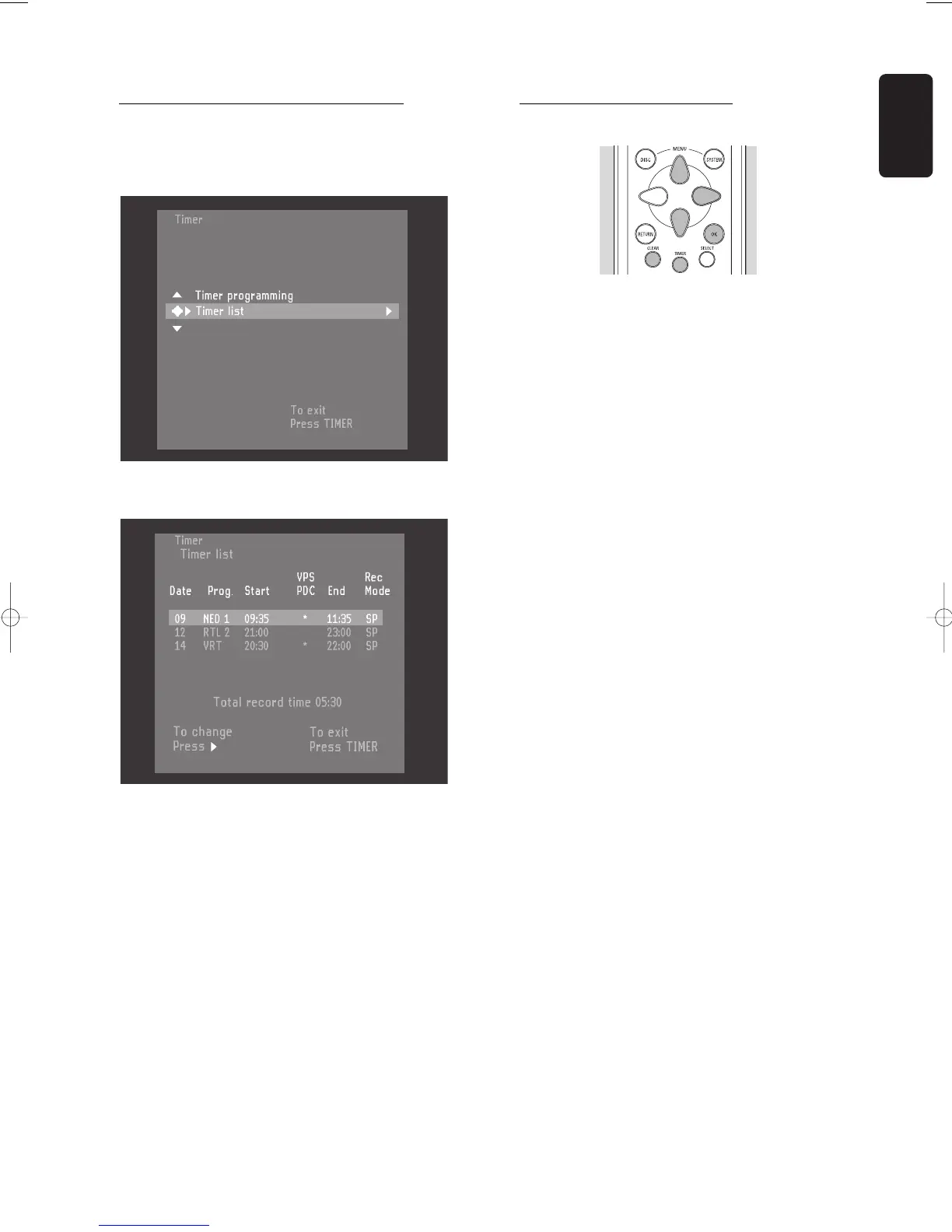
How to check or alter a timer block
l Press TIMER on the remote control.
l Select ‘
Timer list
’ with w or v (down up cursor).
l Press u (right cursor).
l Select the timer block you want to check or alter
with w or v (down up cursor).
l Press u (right cursor).
l Select what you want to check or alter with t or u
(left right cursor).
l Alter data with w or v (down up cursor) or with
the digit keys 0-9.
l Confirm with OK.
l To end, press TIMER.
l Switch off by pressing B STANDBY/ON.
How to clear a timer block
l Press TIMER on the remote control.
l Select ‘
Timer list
’ with w or v (down up cursor).
l Press u (right cursor).
l Select the timer block you want to clear with w or
v (down up cursor).
l Press CLEAR.
l Confirm with OK.
l Switch off by pressing TIMER.



 To Next Page