English
42 ACCESS CONTROL
Access control
Child Lock (DVD and VCD)
When activating Child lock, only discs that are authorised
can be played without PIN code.
The recorder memory maintains a list of 50 authorized
(‘Child safe’) disc titles. A disc will be placed in the list
when ‘Play Always’ is selected in the ‘Child protect’ dialog.
Each time a ‘Child safe’ disc is played it will be placed on
top of the list. When the list is full and a new disc is added,
the least recently used will be removed from the list.
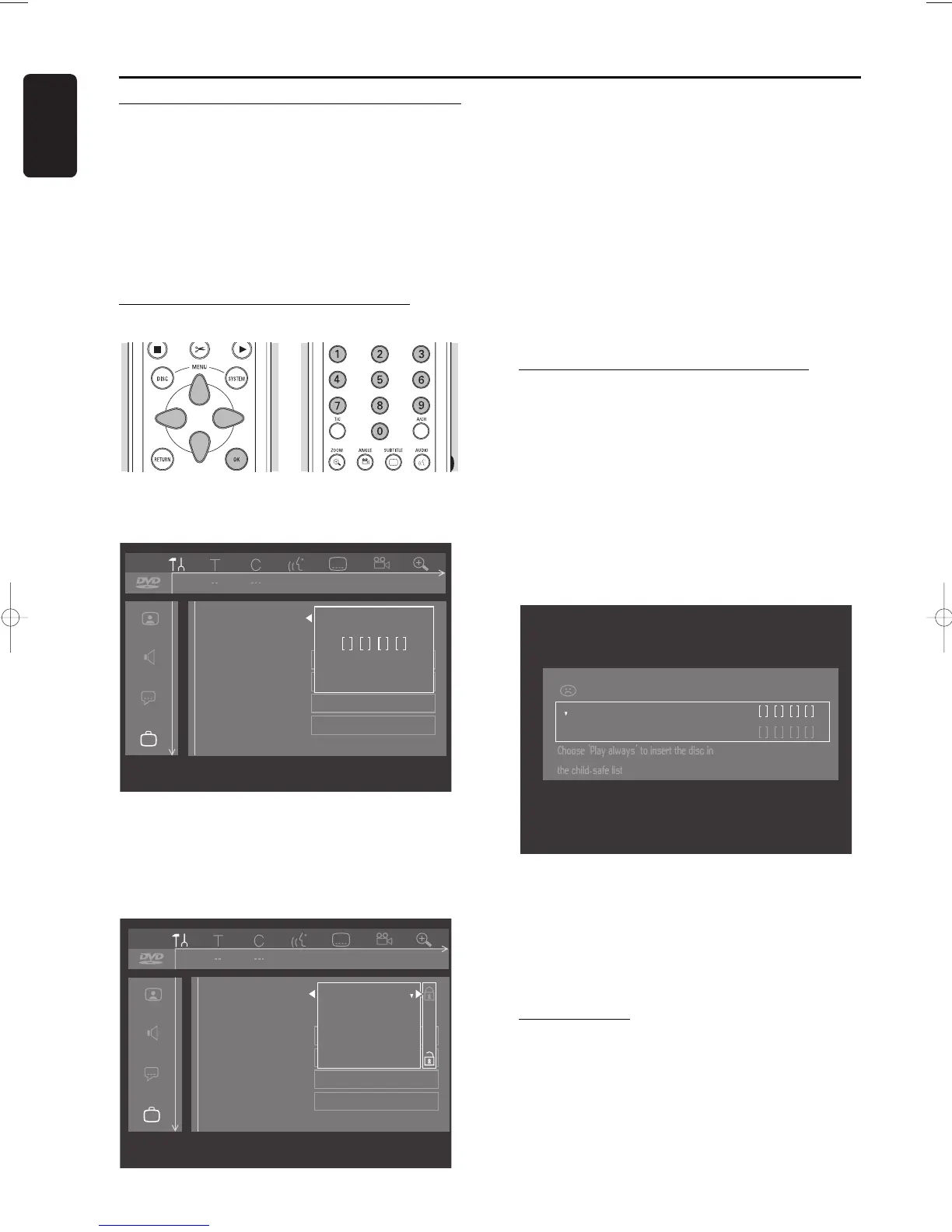
Activating/deactivating the child lock
l Select ‘
Access control
’ in the features menu using
wv (down up cursor) and press u (right cursor).
l Enter a 4-digit PIN code of your own choice using
the digit keys 0-9.
l Enter the code a second time.
l Move to ‘
Child lock
’ using wv (down up cursor).
l Move to Ç / É using the u (right cursor) key.
l Select Ç using wv (down up cursor).
l Press OK or t (left cursor) to confirm and press
SYSTEM MENU again to exit the menu.
‰ Now unauthorized discs will not be played unless
the 4-digit code is entered.
l Select É to deactivate the Child Lock.
Note:
Reconfirmation of the 4-digit PIN code is necessary when:
The code is entered for the very first time (see above);
The code is changed (see ‘Changing the 4-digit code’);
The code is cancelled (see ‘Changing the 4-digit code’);
Both Child Lock and Parental Control are switched Off and
the code is requested.
Authorizing discs when Child Lock is
activated
l Insert the disc.
‰ The ‘Child protect’ dialog will appear. You will be
asked to enter your secret code for ‘
Play once
’ or
‘
Play always
’. If you select ‘
Play once
’, the disc
can be played as long as it is in the recorder and the
recorder is in the On position. If you select ‘
Play
always
’, the disc will become Child safe
(authorized) and can always be played even if the
Child lock is set to ‘
On
’.
Note:
Double sided DVD discs may have a different ID for each
side. In order to make the disc ‘Child safe’, each side has to
be authorized.
Multi volume VCD disc may have a different ID for each
volume. In order to make the complete set ‘Child safe’, each
volume has to be authorized.
Securing discs
l Insert the disc.
‰ Playback starts automatically.
l Press 9 STOP while { is visible.
‰ | will appear and the disc is now banned i.e. it is
not Child safe any longer.


 To Next Page
 Loading...








