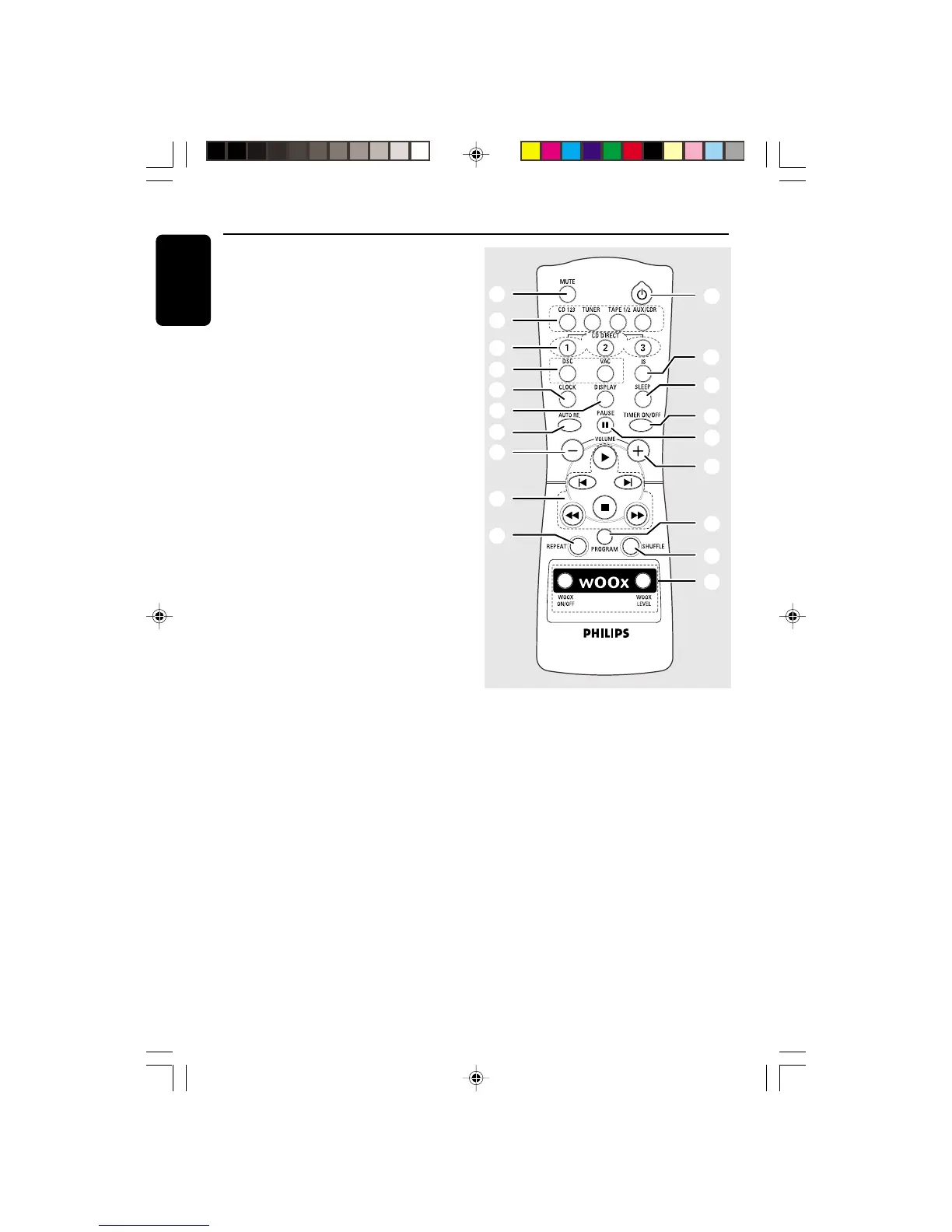
PREV / PRESET / NEXT í ë
for CD ................. to skip to the beginning of the
current, previous, or next track.
for TUNER ........ to select a preset radio station.
for CLOCK ....... (on the system only) to set the
minute.
¡ DISPLAY
– to select different screen display mode :
NORMAL, MODE 1, MODE 2, or MODE 3.
™ PROG (PROGRAM)
for CD ................. to program disc tracks.
for TUNER ........ to program preset radio stations.
for CLOCK ....... (on the system only) to select 12-
or 24-hour clock mode.
£ CLOCK•TIMER
– to view the clock, set the clock or set the timer.
≤ MUTE
– to interrupt or resume sound reproduction.
∞ CLOCK
– to view the clock display.
§ REPEAT
– to playback track(s)/disc(s)/program repeatedly.
≥ SHUFFLE
– to playback all available discs and their tracks/
program in random order.
• TIMER ON/OFF
– to activate or deactivate the timer.
ª SLEEP
– to activate, deactivate or set the sleep timer.
º B
– to switch the system to Standby mode.
– to switch the system to Eco Power Standby
mode (for model FW-C780 only).
Notes for remote control:
– First, select the source you wish to
control by pressing one of the source select
keys on the remote control (CD 123 or
TUNER, for example).
– Then select the desired function (
É
,
í
,
ë
, for example).
pg 001-029/C700-C780/37 12/8/00, 1:59 PM12


 To Next Page