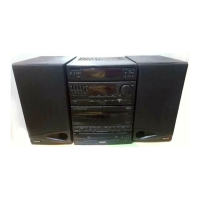
Need help?
Do you have a question about the Philips FW754P and is the answer not in the manual?
Registering product within 10 days confirms maximum protection under warranty terms.
Completed card verifies ownership in case of product theft or loss.
Guarantees receipt of owner information and special offers.
Warns of uninsulated material that may cause electrical shock.
Alerts to important literature for operation and maintenance.
Specific warnings about electric shock, fire hazards, and proper plug usage.
Instructions and warnings regarding electric shock, opening the unit, and electrical hazards.
Warnings about exposure to rain, moisture, and radiation, plus regulatory compliance.
Notes on Canadian radio noise limits and Mexican safety requirements.
Instructions for reading, retaining, and following all safety and operating guidelines.
Guidelines on placement, ventilation, heat, moisture, and grounding.
Rules for power cord, cleaning, non-use, object entry, and user servicing.
Illustrates proper antenna grounding according to National Electrical Code standards.
Details what is covered (parts, labor) and what is excluded (misuse, accident, modifications).
Instructions on where and how to get warranty service in the US and Canada.
Reminder to record model/serial numbers and mail the warranty card promptly.
Notes the typeplate location and device compliance with FCC rules.
Information on packaging materials and recycling of system components.
Advice on checking voltage, moving the system, placement on solid base, and ventilation.
Warnings against moisture, self-repair, and handling condensation issues.
Illustrates how to connect speakers, external equipment, and power supply.
Instructions for connecting AM/FM antennas and front/surround speakers.
Guides for connecting other equipment, subwoofer, and the AC power supply.
Instructions for inserting batteries into the remote control.
Identifies main buttons and displays on the HiFi system's front panel.
Lists and numbers the buttons and their functions on the remote control.
Explains controls for standby, clock/timer, source selection, and display.
Details controls for CD playback, tape deck operations, dubbing, and repeat/shuffle modes.
Describes controls for volume, headphones, bass boost, digital sound control, and test tone.
Adjusting balance, rear, and center speaker levels for surround sound.
Explains the Home Cinema sound experience provided by the Pro Logic system.
Detailed instructions for connecting front, center, and rear speakers for optimal sound.
Guidance on positioning speakers for the best surround sound effect.
Specific guidance for positioning front, center, and surround speakers for optimal audio.
How to use the test tone feature to adjust speaker sound levels.
Instructions for selecting and activating the Dolby Surround sound mode.
Explains Center Phantom, Dolby 3 Stereo, and Normal Stereo modes.
Advice on optimal settings for Dolby Pro Logic and recording.
How to turn the system on, switch to standby, and manage demonstration mode.
Instructions on choosing audio sources like CD, TUNER, TAPE, or AUX.
How to automatically store radio stations using the Easy Set feature.
How to adjust volume and use the headphone jack for private listening.
Explains selection of sound effects and equalizer settings for enhanced audio.
How to activate and select levels of bass enhancement for audio playback.
How to temporarily silence the audio output of the system.
Important warnings about using conventional CDs and handling the changer.
Step-by-step guide on how to insert up to three discs into the CD changer.
How to play CDs directly using the 3 CD Direct Play buttons.
Instructions for playing, pausing, stopping, changing discs, and selecting tracks.
Details on searching passages and programming tracks for playback.
How to play, review, erase, and manage programmed CD tracks.
How to activate random playback (Shuffle) and track repetition (Repeat).
Automatically stores all available radio stations in FM/AM bands.
How to manually tune to specific radio frequencies and wavebands.
Guide to automatically store up to 40 radio stations into memory presets.
How to manually store radio stations into memory presets.
Instructions for loading tapes, playing them, and using rewind/fast forward.
How to play tapes sequentially from deck 2 to deck 1.
How to view the current time and set the system clock.
Instructions for setting the system to turn on automatically at a preset time.
Advises switching off Dolby Pro Logic during recording for optimal results.
How to record from the current source or other sources onto tape deck 1.
How to record CDs onto tape deck 1 with automatic track synchronization.
Step-by-step guide for dubbing tapes from deck 2 to deck 1.
How to connect and select external equipment like TV, VCR, or DVD players.
Instructions for cleaning the cabinet, discs, CD lens, heads, and tape paths.
How to demagnetize the tape heads using a specialized tape.
Technical details for the amplifier output and tuner wave range/presets.
Technical details for speakers, CD player capabilities, and surround system.
Solutions for "NO DISC" display, dirty discs, and dirty lens.
Troubleshooting poor radio reception, no sound, reversed channels, and bass issues.
Solutions for recording/playback errors, strange recorded material, system unresponsiveness, and remote control issues.
Troubleshooting timer malfunctions and continuous display flashing (demonstration mode).
 General
| CD Player | Yes |
|---|---|
| Radio Tuner | Yes |
| Bluetooth | No |
| FM Radio | Yes |
| Tuner Bands | FM |
| Dimensions (W x H x D) | 260 x 200 x 180 mm |
| Dimensions | 260 x 200 x 180 mm |


 To Next Page