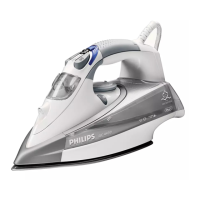
Double-Active Calc System
The anti-calc tablet prevents scale from clogging the steam vents.
The anti-calc tablet is constantly active and does not need
replacement.
The Calc-Clean function removes the scale particles.
UsetheCalc-Cleanfunctiononceeverytwoweeks.Ifthewaterinyour
areaisveryhard(i.e.whenakescomeoutofthesoleplateduring
ironing),theCalc-Cleanfunctionshouldbeusedmorefrequently.
1 Make sure the appliance is unplugged.
2 Set the steam control to position 0.
3 Fill the water tank to the maximum level.
Do not put vinegar or other descaling agents in the water tank.
4 Select the maximum ironing temperature (Fig. 16).
5 Put the plug in an earthed wall socket.
6 Unplug the iron when the temperature light has gone out.
7 Hold the iron over the sink, press and hold the Calc-Clean button
and gently shake the iron to and fro (Fig. 17).
Steamandboilingwaterwillcomeoutofthesoleplate.Impuritiesand
akes(ifany)willbeushedout.
8 Release the Calc-Clean button as soon as all the water in the tank
has been used up.
RepeattheCalc-Cleanprocessiftheironstillcontainsalotofimpurities.
After the Calc-Clean process
Putthepluginthewallsocketandlettheironheatuptoallowthe
soleplatetodry.
Unplugtheironwhenithasreachedthesetironingtemperature.
Movethehotirongentlyoverapieceofusedclothtoremoveany
waterstainsthatmayhaveformedonthesoleplate.
Lettheironcooldownbeforeyoustoreit.
,
,
,
-
-
-
-
ENGLISH 13



 To Next Page
 Loading...