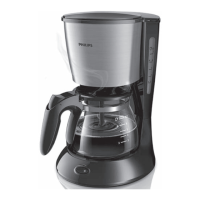
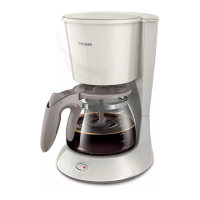
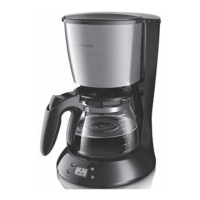
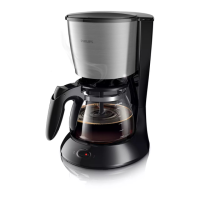
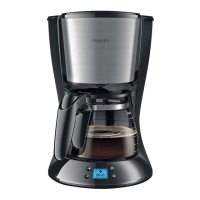
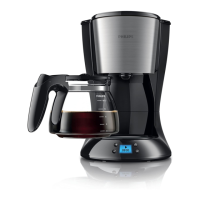
This document describes the Philips HD7434 and HD7431 coffee makers, which are designed for domestic use.
Function Description
The Philips HD7434 and HD7431 are drip coffee makers designed to brew coffee from ground coffee. The device operates by heating water and dripping it through a filter containing ground coffee into a glass carafe. The coffee maker is equipped with a hotplate to keep the brewed coffee warm. It also features a drip-stop function, allowing users to pause brewing and pour a cup of coffee before the full brewing cycle is complete. The device is intended for household use and similar applications such as farm houses, bed and breakfast environments, staff kitchen areas in shops, offices, and other working environments, and by clients in hotels, motels, and other residential type environments.
Important Technical Specifications
The manual does not explicitly list detailed technical specifications such as power consumption, voltage, or capacity in liters. However, it does provide some implicit specifications and requirements:
- Voltage Compatibility: Users must ensure that the voltage indicated on the appliance corresponds to the local mains voltage before connecting the appliance.
- Water Capacity: The water reservoir has a "MAX" level indicator, and users are cautioned not to overfill it.
- Filter Type: The coffee maker uses paper filters of type 1x2. Filters sized 102 and No. 2 are not compatible.
- Carafe: The device includes a glass carafe for collecting brewed coffee.
- Hotplate: An integrated hotplate keeps the coffee warm after brewing.
- Drip-Stop Function: This feature allows temporary removal of the carafe during brewing without dripping.
Usage Features
The coffee maker is designed for straightforward operation, with a focus on ease of use and safety.
Initial Setup:
- Unpacking: Remove all packaging materials.
- First Use Cleaning: Before the first use, it is recommended to clean the appliance by running it through a full brewing cycle with water only, without coffee or a filter, to flush out any manufacturing residues.
- Placement: Place the appliance on a stable, flat, heat-resistant surface, away from hot surfaces. Ensure the power cord does not hang over the edge of a table or countertop.
Brewing Coffee:
- Water Filling: Open the lid and fill the water reservoir with fresh, cold water up to the desired level, not exceeding the "MAX" indication.
- Filter Placement: Insert a paper filter (type 1x2) into the filter holder.
- Coffee Loading: Add the desired amount of ground coffee into the paper filter. The manual advises against using too finely ground coffee, as this can lead to overflow.
- Assembly: Close the lid and ensure the carafe is correctly placed on the hotplate with its spout aligned under the drip outlet.
- Power On: Plug the appliance into a grounded wall socket and switch it on. The brewing process will begin automatically.
- Serving: Once brewing is complete, the coffee maker will keep the coffee warm on the hotplate.
- Drip-Stop: If you wish to pour a cup before brewing is finished, you can remove the carafe. The drip-stop function will temporarily prevent coffee from dripping. However, do not remove the carafe for more than 20 seconds to avoid filter overflow.
Safety Precautions:
- Electrical Safety: Always connect the appliance to a grounded wall socket. Do not use the appliance if the plug, mains cord, or the appliance itself is damaged. If the mains cord is damaged, it must be replaced by Philips, a service center authorized by Philips, or similarly qualified persons to avoid a hazard.
- Water and Heat: Never immerse the appliance in water or any other liquid. Do not place the appliance on a hot surface or let the mains cord come into contact with hot surfaces. The filter holder, hotplate, and carafe will be hot during and immediately after brewing.
- Children and Vulnerable Persons: This appliance is not intended for use by persons (including children) with reduced physical, sensory or mental capabilities, or lack of experience and knowledge, unless they have been given supervision or instruction concerning use of the appliance by a person responsible for their safety. Children should be supervised to ensure that they do not play with the appliance.
- Overfilling: Do not fill the water reservoir beyond the MAX level.
- Repairs: Do not open or attempt to repair the appliance yourself. All repairs should be carried out by Philips, a service center authorized by Philips, or similarly qualified persons.
- Electromagnetic Fields (EMF): This Philips appliance complies with all applicable standards and regulations regarding exposure to electromagnetic fields.
Maintenance Features
Regular cleaning and descaling are essential to ensure the longevity and optimal performance of the coffee maker.
Daily Cleaning:
- Unplug: Always unplug the appliance before cleaning.
- Carafe and Filter Holder: The carafe and filter holder can be washed with warm water and a little washing-up liquid. They are generally dishwasher-safe, but the manual does not explicitly state this.
- Exterior: Wipe the exterior of the appliance with a damp cloth. Do not use abrasive cleaning agents or scouring pads.
Descaling (CALC):
Descaling is necessary to remove mineral deposits that accumulate over time, especially in areas with hard water. The manual recommends descaling every two months or more frequently if the brewing time increases or if the appliance produces excessive steaming.
- Preparation: Fill the water reservoir with undiluted white vinegar up to the MAX level.
- Descaling Cycle: Place an empty paper filter in the filter holder and the empty carafe on the hotplate. Switch on the appliance and let it complete a full brewing cycle with the vinegar solution.
- Rinsing: After the descaling cycle, switch off the appliance and let it cool down for 3 minutes.
- Repeat (if necessary): Repeat the descaling process until the appliance brews normally and the coffee taste is no longer affected by limescale.
- Final Rinse: After descaling, run the appliance through at least two full brewing cycles with fresh water to rinse out any remaining vinegar.
Troubleshooting:
The manual includes a troubleshooting section to address common issues:
- Appliance not working: Check if it's plugged in, switched on, and if the voltage matches. Ensure water is in the reservoir.
- Water leaks: Do not overfill the water tank beyond the MAX level.
- Slow brewing: Descale the appliance. Check if the lid is blocked by limescale.
- Excessive noise/steam: Check for limescale blockage and descale if necessary.
- Ground coffee in carafe: Do not put too much ground coffee in the filter. Ensure the carafe spout is directed into the appliance. Use the correct paper filter size (type 1x2). Check if the paper filter is torn.
- Weak coffee: Ensure correct coffee-to-water ratio. Prevent the paper filter from collapsing. Use the correct paper filter size.
- Bad coffee taste: Do not leave the carafe on the hotplate for too long, especially if it contains a small amount of coffee. Ensure the carafe and hotplate are clean.
- Coffee not hot enough: Ensure the carafe is properly placed on the hotplate. Ensure the hotplate and carafe are clean. Brew more than three cups of coffee to ensure proper temperature. Use thin cups, as they absorb less heat. Avoid adding cold milk directly.
- Less coffee than expected: If the carafe is not placed correctly on the hotplate, the drip-stop may prevent coffee from flowing out, causing the filter to overflow.
- Filter overflows during brewing: Check if the filter holder is correctly placed (refer to image 3 in the "Brewing" section). If the filter holder is not in the correct position, the drip stop does not work, which can cause the filter holder to overflow. If you remove the carafe for more than 20 seconds during brewing, the filter holder starts to overflow.
Ordering Accessories:
For accessories or spare parts, users can visit www.shop.philips.com/service or contact their Philips dealer. Contact information for customer support is available in the worldwide guarantee leaflet.
Recycling:
At the end of its life, the appliance should not be disposed of with normal household waste but taken to an official collection point for recycling. This helps preserve the environment.

 Need help?
 General

 To Next Page