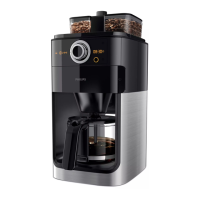
1 Set the on/off switch on the back of the appliance to ‘O’ to switch off
the appliance.
2 Remove the mains plug from the wall socket.
3 Wipe the outside of the coffeemaker and the hotplate with a damp
cloth.
4 Cleanthelterbasket,thepermanentlterandthejugwithhot
water and some washing-up liquid.
Cleaning the coffee bean chute
You have to clean the coffee bean chute every 1 to 2 weeks, depending on
the frequency of use.
1 Put the mains plug in the wall socket.
2 Set the on/off switch on the back of the appliance to ‘I’ to switch on
the appliance.
, The start/standby button and the display lights up.
3 Press the start/standby button and then remove the mains plug from
the wall socket.
4 Inserttheatendofthecleaningbrushhandleintothechutelock
and turn the lock to the ‘open’ position.
5 Open the lid of the coffee bean chute.
6 Use the cleaning brush to brush ground coffee residues into the
lower part of the chute.
Tip: Place a paper lter or the permanent lter in the lter basket to collect
the ground coffee.
, Thegroundcoffeeresiduesfallintothelterbasket.
ENGLISH 13


 To Next Page
 Loading...