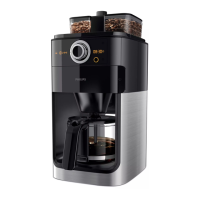
2 Set the on/off switch on the back of the appliance to ‘I’ to switch on
the appliance.
, The start/standby button and the display light up. If you do not press
any button within 1 minute, the appliance goes into standby mode. In
this case, the display goes out and only the start/standby button stays
on to indicate that the appliance is still switched on. In standby mode,
you can press any button to reactivate the appliance.
3 Open the water reservoir lid. Fill the water reservoir with fresh cold
water up to the 10-cup indication.
Note: Do not put coffee beans or ground coffee in the appliance.
4 Close the water reservoir lid.
5 Place the jug on the hotplate.
Note: Make sure the jug lid is in place. Without the jug lid, the drip stop
function is activated automatically (see chapter ‘Using the appliance’, section
‘Drip stop function’).
Note: Make sure you put the jug on the hotplate with the spout facing into the
appliance.
6 Press the start/standby button.
7 Press the pre-ground coffee button to switch off the grinder.
, The button lights up when you press it.
Note: When you switch off the grinder, the number of cups and the strength
setting are not shown on the display.
ENGLISH8


 To Next Page
 Loading...