Attention
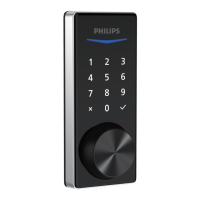
The default Master PIN Code is 12345678. Change the default Master PIN Code before programming the lock. The
If no key is pressed for more than 10 seconds, the lock will exit programming mode.
1 timePress
Green light is on
2 timesPress
Enter Master
PIN Code
1 timePress
Green light is on
Enter new
Master PIN Code
Re-enter new
Master PIN Code
1 timePress
Change the Master PIN Code
Press
1
1 timePress
Green light is on
Enter Master
PIN Code
2 timesPress 1 timePress
Green light is on
Enter new
User PIN Code
Re-enter new
User PIN Code
1 timePress
Add a User PIN Code
Press
2
Program the Lock
1 timePress
Green light is on
Change the Default Master PIN Code
2 timesPress
(default is 12345678)
Enter Master
PIN Code
Enter new
Master PIN Code
1 timePress
Re-enter new
Master PIN Code
1 timePress
Green light is on
15


 To Next Page
 Loading...