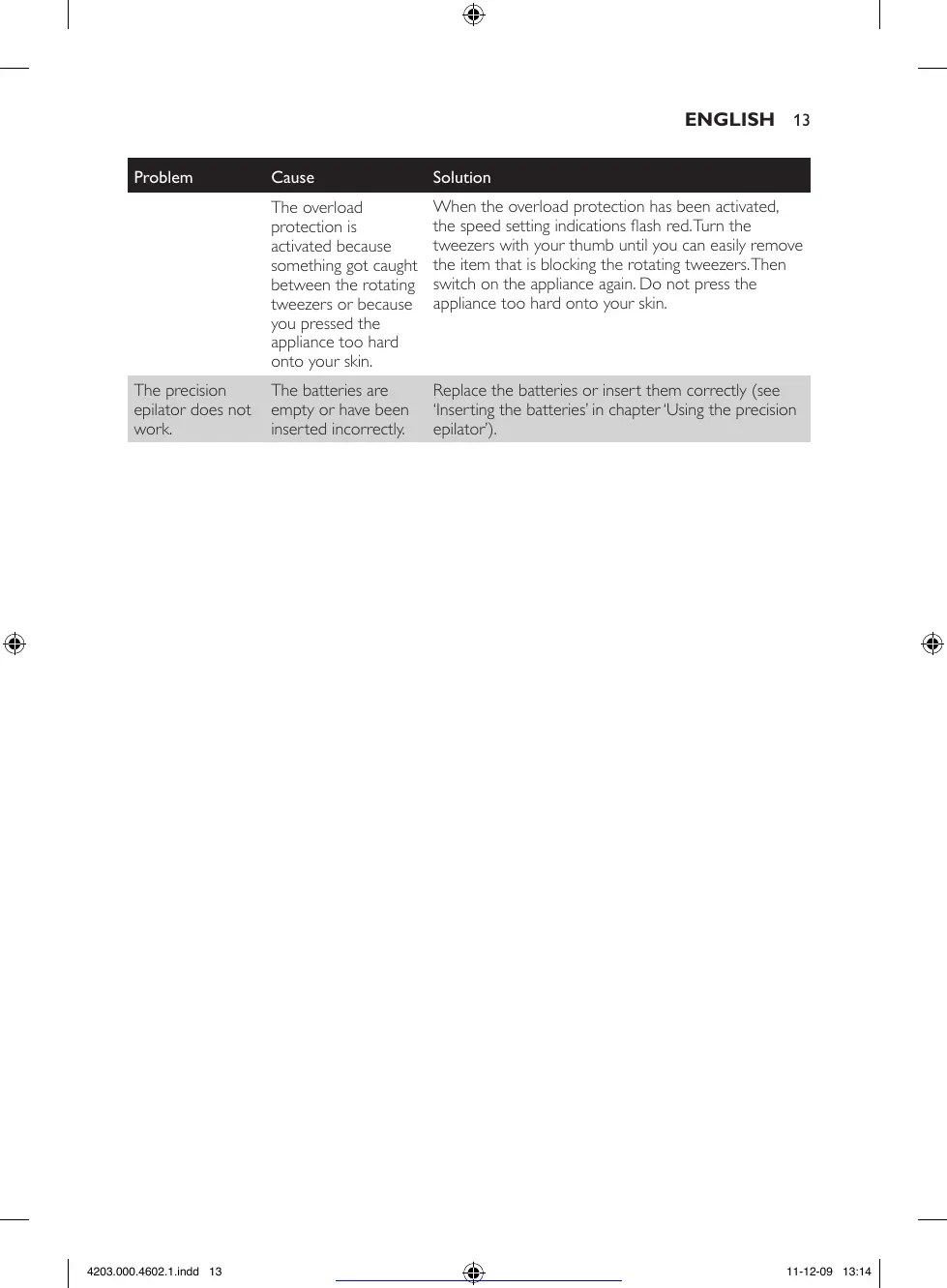
Problem Cause Solution
The overload
protection is
activated because
something got caught
between the rotating
tweezers or because
you pressed the
appliance too hard
onto your skin.
When the overload protection has been activated,
the speed setting indications ash red. Turn the
tweezers with your thumb until you can easily remove
the item that is blocking the rotating tweezers. Then
switch on the appliance again. Do not press the
appliance too hard onto your skin.
The precision
epilator does not
work.
The batteries are
empty or have been
inserted incorrectly.
Replace the batteries or insert them correctly (see
‘Inserting the batteries’ in chapter ‘Using the precision
epilator’).
13
4203.000.4602.1.indd 13 11-12-09 13:14
See more at http://www.manualsworld.net



 To Next Page