C
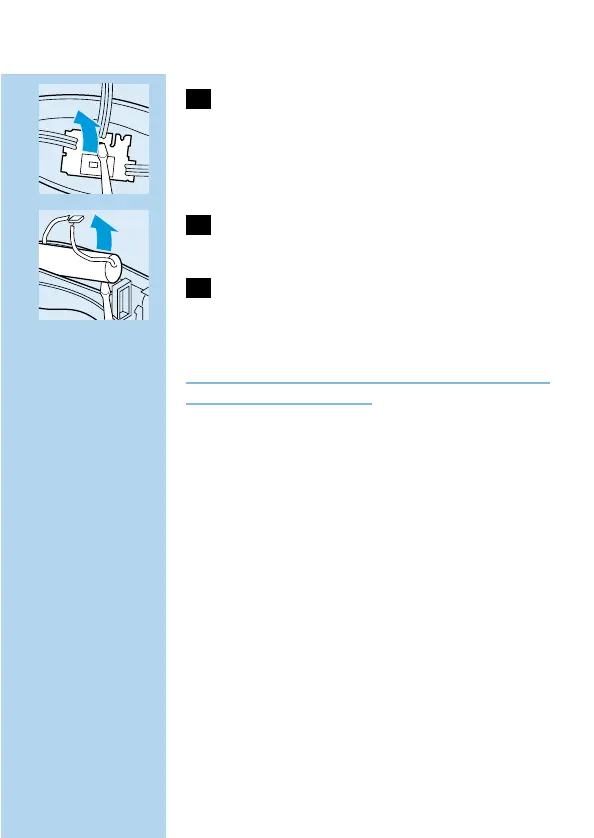
6 Insert a screwdriver into the small slot in
the printed circuit board.Push the
screwdriver down until part of the printed
circuit board breaks off.
C
7 Separate the battery from the plastic part
by means of a screwdriver.
8 Dispose of the battery and the other
components in an environmentally safe
way.
Do not connect the appliance to the mains again
after it has been opened!
For telephone numbers of the Philips Helpdesk,
see the Worldwide Guarantee leaflet.
ENGLISH 9


 To Next Page