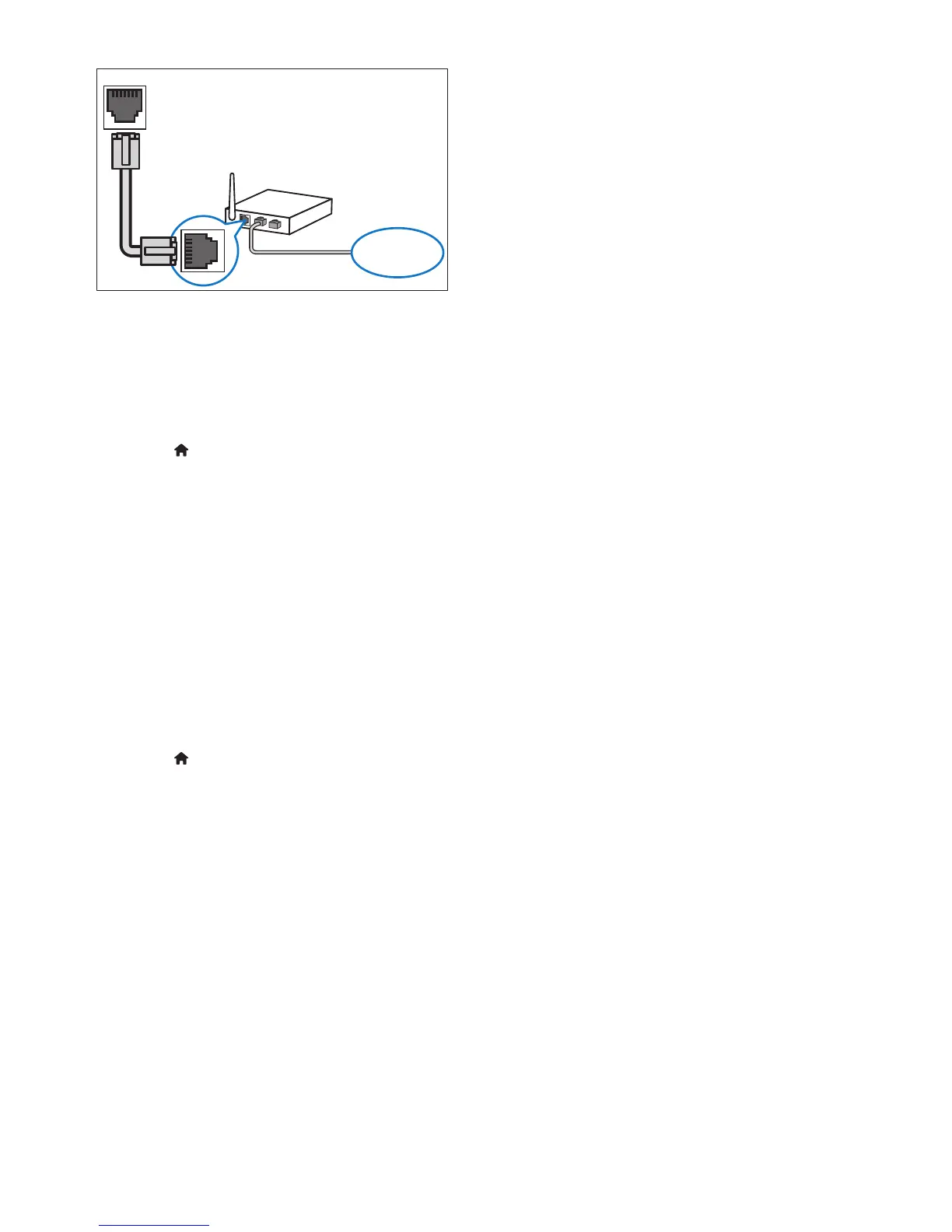
1 Connect the home theater to a network
router through a wired connection (see
'Wired connection' on page 13).
2 Turn on your TV, and switch to the correct
source for the home theater.
3 Press (Home).
4 Select [Setup], and then press OK.
5 Select [Network] > [Network
Installation] > [Wired (Ethernet)], and
then press OK.
6 Follow the instructions on the TV to
complete the setup.
» The home theater connects to the
internet. If connection fails, select
[Retry], and then press OK.
7 Select [Finish], and then press OK to exit.
Check wired network settings
1 Press (Home).
2 Select [Setup], and then press OK.
3 Select [Network] > [View Network
Settings], and then press OK.
» The current network settings are
displayed.
LAN
www



 To Next Page